

Tools & Comparisons ·
Free Tools That Track Citations and Brand Mentions Separately
Compare free tools that report citation rate and brand mention rate as separate numbers, and see which are ongoing plans and which are one-time checkers.
Looking for a free UseCite alternative? Compare free forever, self-hosted and one-off tools for AI citation tracking, and see how to move your prompts across.
Avinash Saurabh · · 15 min read
If you track which sources AI engines cite for a client and your UseCite trial is about to end, it's normal to start looking for a free UseCite alternative before you pay for anything. The tricky part is that "free" covers four different things in this space: a timed trial, a one-off checker, software you host yourself, and a hosted plan that keeps running. Only some of them will give you a citation trend you can show a client next quarter.
This guide to alternatives to UseCite AI sorts the options by that difference. It covers what UseCite actually offers today, five tools you can compare against it, and a short checklist for moving your prompts across without losing your history. It does not cover how to earn more citations, which is a separate job. It's only about choosing a tracker.
For AI citation tracking free of a subscription, we ranked the tools by how well they fit a consultant who tracks one brand and needs the results to keep coming in. These are the criteria, in order of weight:
Keep the categories apart as you read. A hosted tracker, a self-hosted project, a one-off checker and a webmaster dashboard are not interchangeable, even when they all say "citation" on the page.
Before replacing something, it helps to know what you're replacing. The service at usecite.ai now brands itself as Cite AI, so you may see either name. Its published offer is a 14-day free trial with 20 prompts and one project, no card needed. That's a trial, not a permanent free plan, and projects that outlast the trial are skipped from scheduled runs until you upgrade.
The paid plans are monthly. Starter is $19 for 30 tracked prompts and one active project, Growth is $49 for 80 prompts and 2 projects, Pro is $99 for 150 prompts and 3 projects, and Agency is $299 for 500 prompts and 10 projects. A custom tier covers 1,000 or more prompts and daily update schedules, with the price on request. Prompts are re-run weekly on all plans.
On engines, the current pricing and product pages describe six for national projects (ChatGPT, Claude, Gemini, Perplexity, Google AI Overviews and Google AI Mode) and four for local ones. Some of its older documentation pages show a four-engine dashboard, so trust the current pricing page over those. It records the full answer and every source the engine cited, and its marketing page advertises a CSV export of all data. So you don't need to replace it because your data is trapped. You'd replace it because a trial ends, because the paid plans cap your prompts, or because you want a plan that costs nothing to keep running.
One more thing worth knowing: its Share of Voice is defined as the brand's citations divided by all citations returned on unbranded prompts. Another tool may define it differently, so a number that looks lower after you switch doesn't always mean the client slipped.
| Rank | Tool | Free access | Citation evidence and coverage | Best for |
|---|---|---|---|---|
| 1 | AeoNut | Free forever, one project, unlimited prompts; provider data charges apply | Twelve engines; Mention rate, Cited, source domains or URLs, position, raw answers, trends | One brand tracked on an ongoing basis, with white-label reports |
| 2 | Simple Prompt Tracker | Free to self-host; hosted plans from $19 a month | ChatGPT and Gemini; visibility, share of voice, position, citations, top-cited domains | A technical user happy with two engines |
| 3 | Habibi | Open source and self-hosted | Cited URL mapped to prompt and engine | A hands-on user comfortable with Docker or browser logins |
| 4 | Cited | Self-hosted community edition; cloud price not stated | Prompt runs, response snapshots, citations | A developer evaluating early software |
| 5 | AIclicks free tracker | Free checker; ongoing tracking is paid from $59 a month | ChatGPT with live web search; ranked cited domains | A one-off source check |
Best for: A freelance consultant tracking one client brand who wants real prompts, several AI engines, trends and a report with their own name on it, without paying a platform fee.
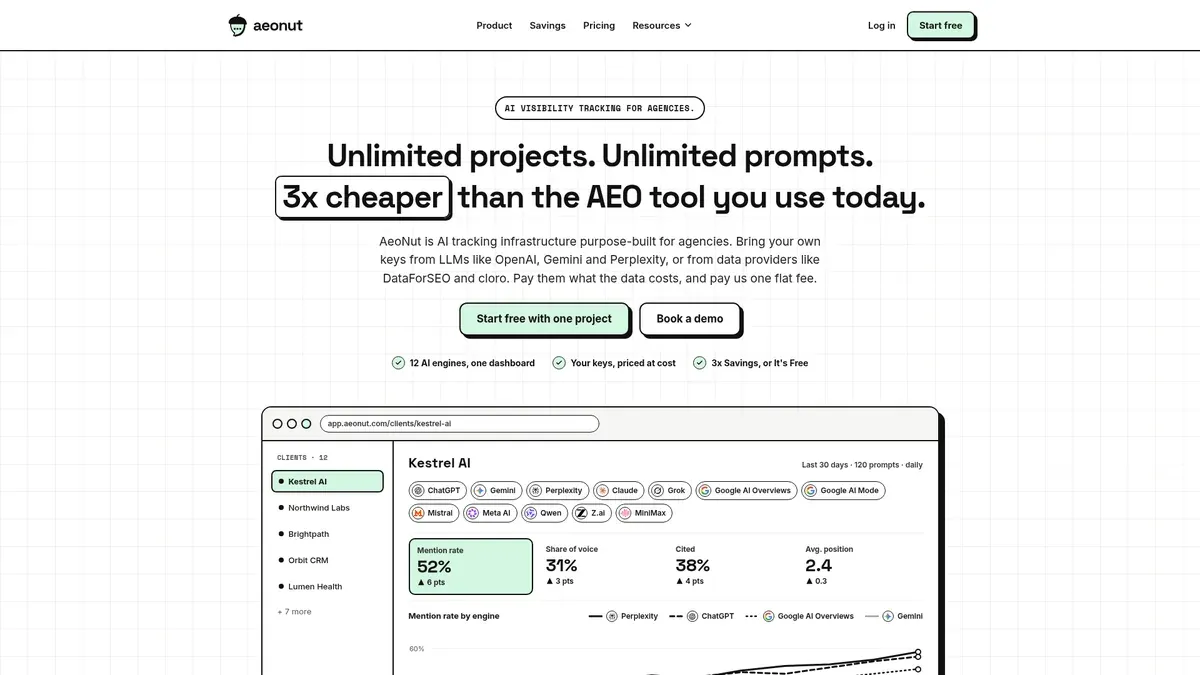
AeoNut's Free plan is the only AI visibility tracker that is free forever with unlimited prompts. It covers one client project, takes no card, and includes every feature the paid plans have. That's the main difference from a trial like UseCite's. There's no 14-day clock and no 20-prompt ceiling, so you can load the prompts your client's buyers actually ask and leave them running.
Each project holds its own prompts, competitors, engines, countries and schedule, and you pick daily, twice a week or weekly. AeoNut tracks twelve engines: ChatGPT, Gemini, Perplexity, Claude, Grok, Google AI Overviews, Google AI Mode, Mistral, Meta AI, Qwen, Z.ai and MiniMax. For citation work, the analytics show Mention rate, Cited, Avg. position, Share of voice and Sentiment, with trends by engine, prompt and country. You also get each competitor's cited pages, the cited sources tagged as the client's site, a competitor or neither, and the raw AI answer for every prompt.

That view matters if citation sources are what you were using UseCite for, because it shows which pages and domains AI engines pointed to, and for which engine. The numbers in that screenshot are demo data.
You bring your own key. Connect one from OpenAI, Anthropic, Gemini, Perplexity or DataForSEO and the provider bills you directly at its own price, with no AeoNut markup. One key is enough to start. It helps to be plain about this: the platform is free, and the AI answer data is what your provider charges. AeoNut shows a cost preview before anything runs and lets you set budget caps and alerts, and it recommends restricted keys with spending limits, so a surprise bill is easy to avoid. The site's own data example is about $135 a month for 10 clients with 100 prompts each, tracked daily on three engines. That's a ten-client agency setup, so don't read it as the cost of a single client.

For the client side of the job, white-label reports and shareable links carry your branding, not AeoNut's, and they're included on Free. Reports export as PDF, Excel and Markdown, and CSV export is there for the raw data. A hosted, read-only MCP server and a REST API are included too, so an assistant like Claude can read the data and help you draft the monthly summary.
For migration, AeoNut offers a Done-For-You Switch that imports prompts, competitors and tracking history from your current tool. We haven't confirmed a UseCite-specific connector or the exact fields that import, so treat it as assisted migration and not a one-click transfer. Export your UseCite data first and ask the team what it can bring across before you rely on it.
Limitation that matters here: Free covers one client project. If you add a second paying client, Pro is $99 a month for up to 10 projects, and Unlimited is $499 a month, with annual billing taking 20% off. Your history stays in the same tool when you move up.
Best for: A developer-minded consultant who wants to host a small tracker and doesn't need a long list of engines.
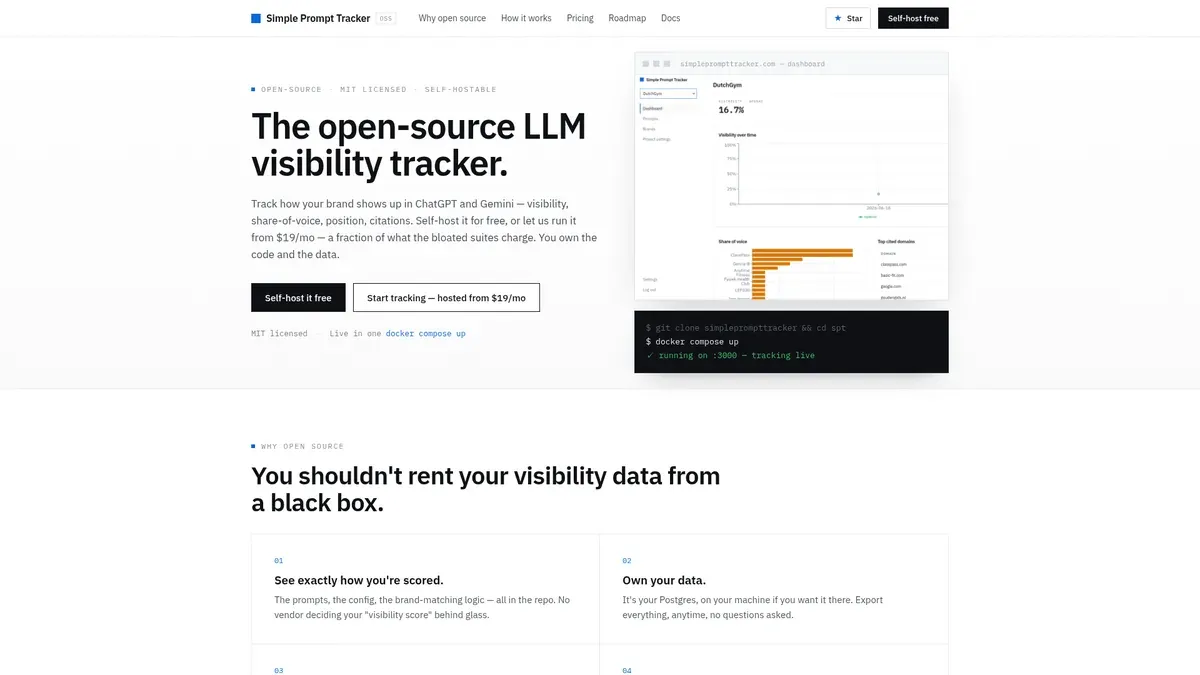
Simple Prompt Tracker is open source and MIT-licensed, and the self-hosted version has every feature on your own infrastructure. It tracks ChatGPT and Gemini today with web search or grounding turned on. It reads the stored answers to work out visibility, share of voice, answer position and citations, and it lists top-cited domains. Because the metrics come from stored answers, the history doesn't rewrite itself later. Prompts can be scheduled.
If you'd rather not host it, the hosted plans are $19 a month for 30 prompts, $49 for 60 prompts and $99 for 150 prompts. They list unlimited projects and seats, with prompt volume as the difference between tiers, and they include MCP, API access and full CSV export.
Limitation: It supports only ChatGPT and Gemini, so it doesn't match UseCite's engine list, and nothing we found shows Perplexity, Claude or Google AI Overviews coverage. We also found no white-label client report feature and no import of UseCite data. Self-hosting is free software, but you still pay for your own hosting and any model usage.

Best for: A hands-on consultant who is comfortable with Docker, API keys or logged-in browser automation, and who cares about which exact URL was cited.
Habibi maps which URL was cited for which prompt on which engine. It can run prompts several times and report mention rate, competitor share of voice and trends over time. There are two ways to run it. The API route goes through OpenRouter for ChatGPT, Claude, Gemini and Perplexity. The browser route uses the logged-in consumer interfaces for ChatGPT, Claude, Perplexity and Google AI Overview, needs a one-time login, and has no per-call cost, though Claude and Perplexity need a visible browser window. These are two ways of running the same tracker, not eight separate engines. The project runs on Docker or Node.js and stores its data in SQLite.
It's free for personal and business use under its Sustainable Use License, which doesn't allow you to offer it as a managed hosting service to others.
Limitation: The setup and upkeep are yours, and browser automation adds login and window constraints. We didn't find white-label reports, documented CSV export or an import from UseCite, so it's a no-license-fee option for a technical reader and not a managed service for client reporting.
Best for: A developer who wants to inspect and self-host an open-source citation monitor and is willing to try early software.
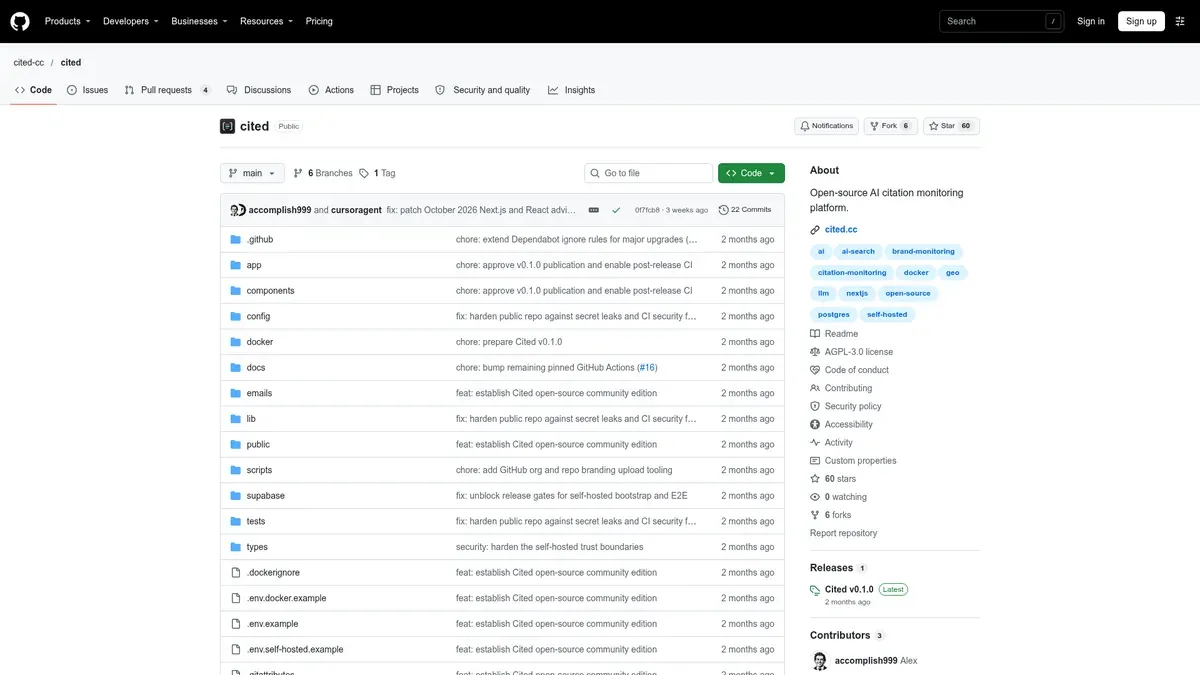
Cited runs your configured prompts through provider adapters, saves immutable snapshots of each response, and sorts out citations, mentions, recommendations and competitor events. Its repository lists ChatGPT, Gemini, Perplexity, Claude, Google AI Overviews and Google AI Mode as supported surfaces, with live monitoring depending on its DataForSEO adapter and your own credentials. It also describes an evidence ledger with exports, a worker that schedules scans, and a public API. The self-hosted Docker community edition needs no billing. A managed Cited Cloud exists, but its prices aren't stated.
Limitation: The repository calls version 0.1.0 its first public community release, so this is early software. We couldn't confirm the export format, full raw-answer access, white-label reporting or any UseCite import. Try it on a side project before you rely on it for a client.

Best for: A quick, free look at which domains ChatGPT cites for a topic, such as before a prospect call.
AIclicks has a free citation checker where you enter a domain and a topic or prompt. It tells you whether the site is quoted, linked or mentioned, and shows ranked cited domains with how often each appears. The page describes the check as ChatGPT with live web search, says you can run as many prompts as you like, and says there's no daily cap or card. The page's no-signup wording sits next to a Google authorization link, so check how access works when you try it.
Ongoing tracking is a separate, paid product: Starter is $59 a month for 30 prompts, 1 website and 3 LLMs, Pro is $189 for 150 prompts, and Business is $499 for 300 prompts. It has a three-day trial, and cancelling before day three costs nothing.
Limitation: The checker is a spot check. We found no scheduled history, no white-label report and no import path for UseCite data, and the paid platform's wider engine coverage shouldn't be credited to the free page. It answers "what does ChatGPT cite today?", and it doesn't give you a trend.
Microsoft's AI Performance report in Bing Webmaster Tools shows citation activity for your own verified site across Microsoft Copilot, Bing AI summaries and select partner integrations. It reports total citations, unique cited pages, page-level activity, grounding-query phrases and Citation Share, refreshes daily, and exports CSV and Excel.
It isn't a prompt tracker. The data is sampled and summary-level, it doesn't show individual AI answers or the exact prompts you set, and it only covers Microsoft surfaces. Its pricing and access terms weren't stated in the documentation we reviewed, so we wouldn't call it a free replacement. It can sit beside a tracker as a second view of one engine family.
Two other free tools come up in searches and are worth a quick note. The Ahrefs free AI visibility checker gives a one-time snapshot across ChatGPT, Gemini, Perplexity, Copilot and Google AI Overviews, but the free report doesn't clearly show the cited source URLs. Serpstat's LLM Brand Monitor has a free tier of 10 checks a month and 2 projects, but its product page documents brand mentions and sentiment and not cited domains. Both help with "how does AI describe my brand," and neither is a citation-source replacement.
Moving is easier if you do it in this order, ideally before your trial ends.
Tell the client before the first report that one month may look a bit different. Each tool runs prompts and counts citations its own way, and answers also shift from day to day, so a small move right after a switch doesn't mean the client did worse. Research on AI answers has also found that the set of cited sources changes quite a bit from one day to the next, which is a good reason to read a trend over several runs and not a single snapshot.
If you want to see how this works with your own client's prompts, start free with AeoNut. It takes a brand name, a website and one provider key.
Yes, with a catch about what "free" covers. AeoNut's platform is free forever for one project with unlimited prompts, and your provider bills the answer data. Simple Prompt Tracker and Habibi have no software fee under their stated terms, but you set them up and pay for hosting or model usage. The AIclicks checker is free but is a one-off check.
No. With AeoNut, your own provider charges you for the data at its price, and the cost preview and budget caps show and limit that spend. With self-hosted tools, any provider or hosting costs sit outside the license.
UseCite advertises a CSV export of all data, and AeoNut offers a Done-For-You Switch that imports prompts, competitors and history. We couldn't confirm a UseCite-specific import or the exact fields, so export first, keep the archive, and ask AeoNut what it can bring across. None of the other tools here document a UseCite import.
The AIclicks free checker describes ranked cited domains and citation frequency for a ChatGPT live-search check, so it suits an occasional look. For anything you'll report to a client every month, use a tracker that saves each run.
Tools & Comparisons ·
Compare free tools that report citation rate and brand mention rate as separate numbers, and see which are ongoing plans and which are one-time checkers.

Tools & Comparisons ·
Is a self-hosted AI visibility tracker worth your time? Compare setup, upkeep, data control and engine coverage with a managed free plan before you decide.

Tools & Comparisons ·
Which free AEO tracking tool keeps running, saves history and shows change? Compare five free options on schedule, trends and alerts to pick one for a client.