

Tools & Comparisons ·
Free Tools That Track Citations and Brand Mentions Separately
Compare free tools that report citation rate and brand mention rate as separate numbers, and see which are ongoing plans and which are one-time checkers.
See which sources AI engines cite for your client's prompts. Compare six free options on source detail, engine coverage and how easily you can act on the list.
Avinash Saurabh · · 16 min read
When a client asks why a competitor keeps showing up in ChatGPT, a visibility score doesn't really answer them. What helps is the list of sites the answer engines pointed to, because that list shows you which publishers, review sites and directories are shaping the answers in the client's category. It's very common to have the score and not the list, and that's the gap free AI citation source analysis is meant to close.
Here is the short answer. AeoNut, Storyline's AI Citation Checker, Ahrefs' free AI Visibility Checker and OneGlanse all show cited sources, and each one does a different job. AeoNut is the one we recommend if you want to keep checking one client's real prompts and send a report under your own name. ChatGPT Search and Perplexity are free ways to look at the sources behind a single answer by hand. If you're looking for brand citation monitoring tools free of a monthly bill, that's the range of choices you actually have.
A search like "which sources AI cites free tool" can mean four different things, because "free" covers a lot of ground in this space, so we sorted by what you actually get. A free hosted plan keeps running. A free snapshot gives you one result. Free software costs nothing to download but you run it. Manual inspection is a free consumer product where you copy the sources yourself.
We judged each option on six questions:
This is research from public documentation as of November 2026, not a hands-on benchmark, and the order reflects fit for a freelance consultant rather than a performance score. We also left out two things on purpose. This guide is about the wider list of sources, not which of your client's own pages get cited, and it isn't about earning more citations.
| Tool | Best for | What is free | Source detail | Engines | Limit to know |
|---|---|---|---|---|---|
| 1. AeoNut | Ongoing source analysis for one client | Hosted platform, 1 client project, unlimited prompts, every feature | Cited domains or URLs, tagged as the client's, a competitor's or neither, plus raw answers | Twelve, including ChatGPT, Gemini, Perplexity, Google AI Overviews and AI Mode | Answer data is billed by your own provider |
| 2. Storyline AI Citation Checker | A quick source leaderboard for your own topics | On-screen results for up to 10 topics per check | Per-topic domain leaderboards, a cross-topic Top 10, source URL detail | Perplexity, ChatGPT with search, Google AI Overviews | A snapshot, with a 24-hour cache on identical inputs |
| 3. Ahrefs AI Visibility Checker | A fast brand-level source preview | Limited report, no signup or card | Top 5 cited domains and top 5 cited source URLs | ChatGPT, Gemini, Perplexity, Copilot, Google AI Overviews | A preview, not tracking of your own prompt list |
| 4. OneGlanse | Self-hosting technical consultants | Open-source software | Recorded citations, source domains, saved answers | ChatGPT, Perplexity, Gemini, Claude, Google AI Overview | You install, run and pay for the surroundings |
| 5. ChatGPT Search (manual) | Checking one ChatGPT answer | Search in ChatGPT Free, with usage limits | Inline citations and a Sources panel | ChatGPT only | No aggregation across prompts |
| 6. Perplexity (manual) | Checking one Perplexity answer | Free consumer plan | Citations with each answer | Perplexity only | No aggregation across prompts |
The last two are manual source-inspection options, not monitoring products, and they're in the list because they're a fair place to start before you set anything up.
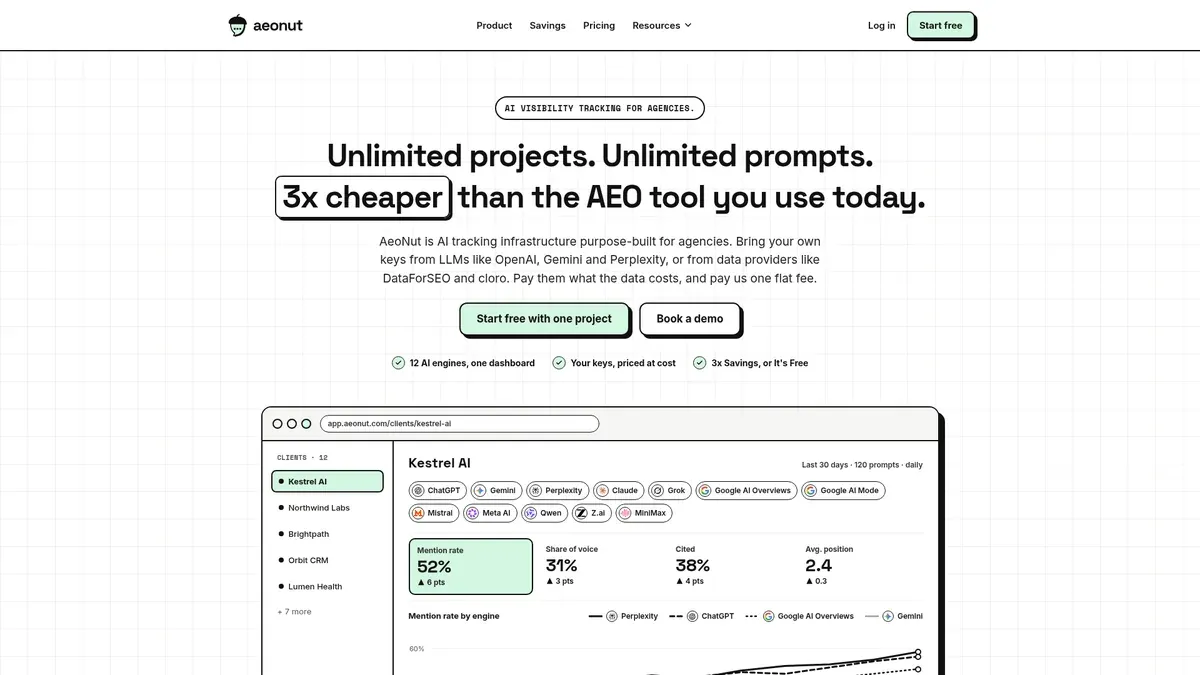
Best for: a freelance SEO or AEO consultant who needs to keep checking a real client's questions and turn the results into a report with their own name on it.
AeoNut's Free plan is a full AI visibility tracker for one brand, free forever, with unlimited prompts, every feature and no card. It is the only AI visibility tracker that is free forever with unlimited prompts, and some other tools offer free one-off checkers or credit-capped free plans, which are a different thing from ongoing tracking. The headline is simple: free forever, unlimited prompts, your own keys.
What matters for source analysis is the workflow around the list. Your client's brand becomes a project with its own prompts, competitors, engines, countries and schedule, which can be daily, twice a week or weekly. AeoNut runs those prompts and records which sources the answers cite. As a free AI citation tracker for one client, it works from the cited-sources view, which returns the domains or URLs the AI answers cite most, and each one is tagged as the client's, a competitor's or neither. For this job the competitor and other-source tags are the useful part, because they show you the review sites, directories, communities and rival pages that keep turning up around your client's category.
You can open the raw AI answer for any prompt, so you're never staring at a source with no idea what question it came from. That's the step most free checkers skip, and it's the one you'll want when a client asks "where did this come from?"
AeoNut tracks twelve engines: ChatGPT, Gemini, Perplexity, Claude, Grok, Google AI Overviews, Google AI Mode, Mistral, Meta AI, Qwen, Z.ai and MiniMax. For each engine you choose between scraped data, which is the answer real users see in the consumer apps and costs the least, and API data, where you pick the exact model. Not every engine offers both, so check the setup screen for the ones you care about.
The cost is the part to read carefully. The platform is free, and the answer data is billed by your own provider at the provider's price. AeoNut shows an estimated monthly cost before anything runs, and it gives you spend per client, budget caps and alerts. It also recommends restricted keys with spending limits and shows you how to set them up. One key from a single provider is enough to start, and the provider might be OpenAI, Anthropic, Gemini, Perplexity or DataForSEO. So the honest way to say it is that the platform costs nothing and the data costs what your provider charges.
Free covers one client project. That fits a freelancer with a single client to prove the work on, and if you add more clients, Pro is $99 a month ($79 a month billed annually) for up to 10 client projects, with every feature on every plan.
When it comes time to hand something over, white-label reports and shareable links carry your branding, not AeoNut's. Reports export as PDF, Excel and Markdown, and CSV export is available, along with a read-only API and an MCP server that lets an assistant like Claude read the workspace and help you draft the client summary. A report export doesn't automatically bundle every raw answer, so keep the answer pages handy when you want to show the evidence.

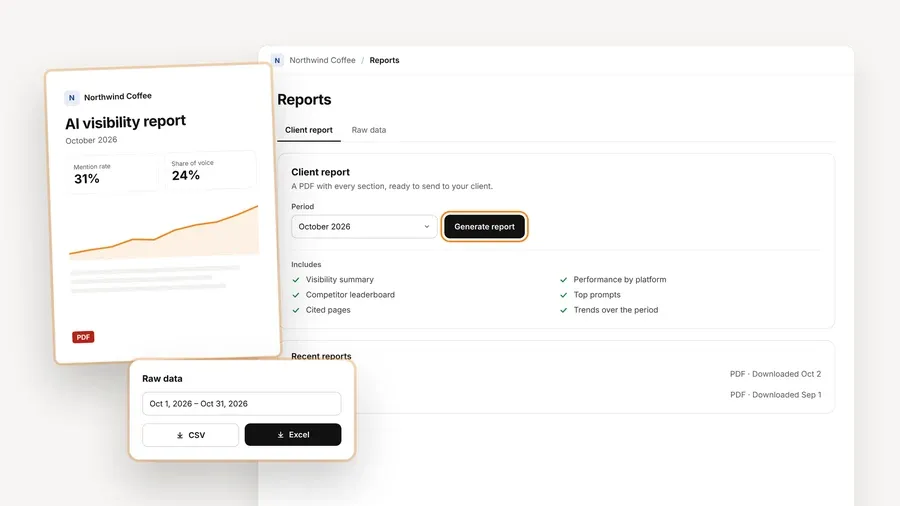
AeoNut earns first place on the combination of things a consultant needs to repeat this job every month: your own prompts, recurring runs, broad engine coverage, source detail and a report you can send. That's a statement about fit, not a claim that every feature is exclusive to it. If you only need a one-time source list for a call this afternoon, one of the next two tools is quicker.

Best for: a consultant who wants a source list for a prospect conversation without making an account or connecting any keys.
This is a close match to the question in the title. You enter up to ten topics and a domain, and it gives you a source leaderboard for each topic, a Top 10 across all of them, the individual source URLs and a short insight line. It doesn't boil everything down to a single visibility score. Each topic goes out exactly as you typed it, so you can use your client's real wording.
The on-screen results are free and public, with no account. You'll need to give an email address only if you want the PDF. It covers Perplexity, ChatGPT with search and Google AI Overviews. Perplexity and ChatGPT results come from model APIs, and Google AI Overview citations come from live search-result data through DataForSEO, so you don't supply a key.
The limit to know is that this is a snapshot. If you run the same topics and domain again, you get a 24-hour cache, so a second run in the same day isn't a fresh test. Storyline also says its API-based answers can differ from the ChatGPT and Perplexity apps people use. We couldn't confirm an API, a CSV export or scheduled monitoring in the material we reviewed, and a price for the PDF isn't stated.
It beats AeoNut when you want a quick, no-setup scan of a small topic set and you don't need ongoing tracking or a white-label report.
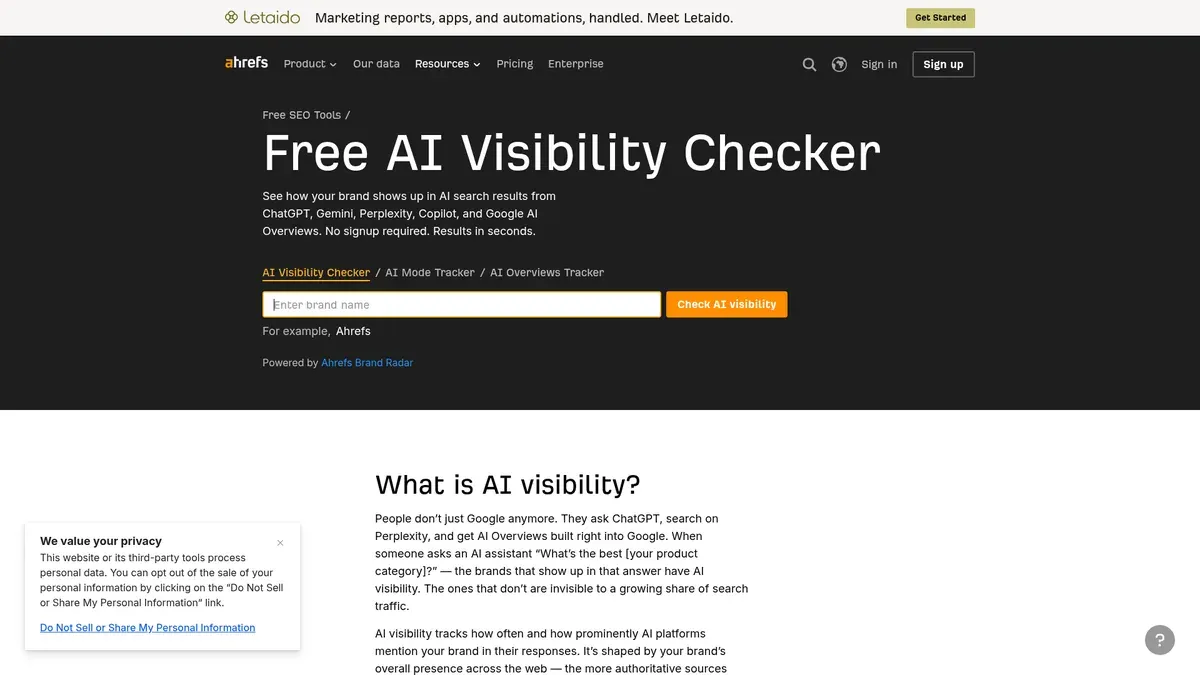
Best for: a consultant who needs a fast look at which sources AI platforms cite alongside an existing brand.
Ahrefs' free checker includes outside sources, not just a score. The report shows AI mentions, a breakdown by platform, the topics that trigger mentions, the top five cited domains and the top five cited source URLs alongside the brand. Those source lists are the part that matters here, and they show you the sites the answers lean on when they mention that brand. There's no signup or card, and the page says there's no limit on how many brands you check. It covers ChatGPT, Gemini, Perplexity, Copilot and Google AI Overviews.
The limit is that it's a preview. Top five lists can miss sources that appear less often but still matter, so it isn't a complete inventory. We also couldn't confirm that you can enter your own prompt list and track it over time on the free checker. Ahrefs documents custom prompt tracking inside its paid plans, with monthly check allowances starting at 150 on Lite, so treat the free tool as a first look rather than a campaign. A free CSV export, white-label report or schedule weren't confirmed either.
It beats AeoNut when the job is a quick brand-level preview and you have no plan to keep a client campaign going.
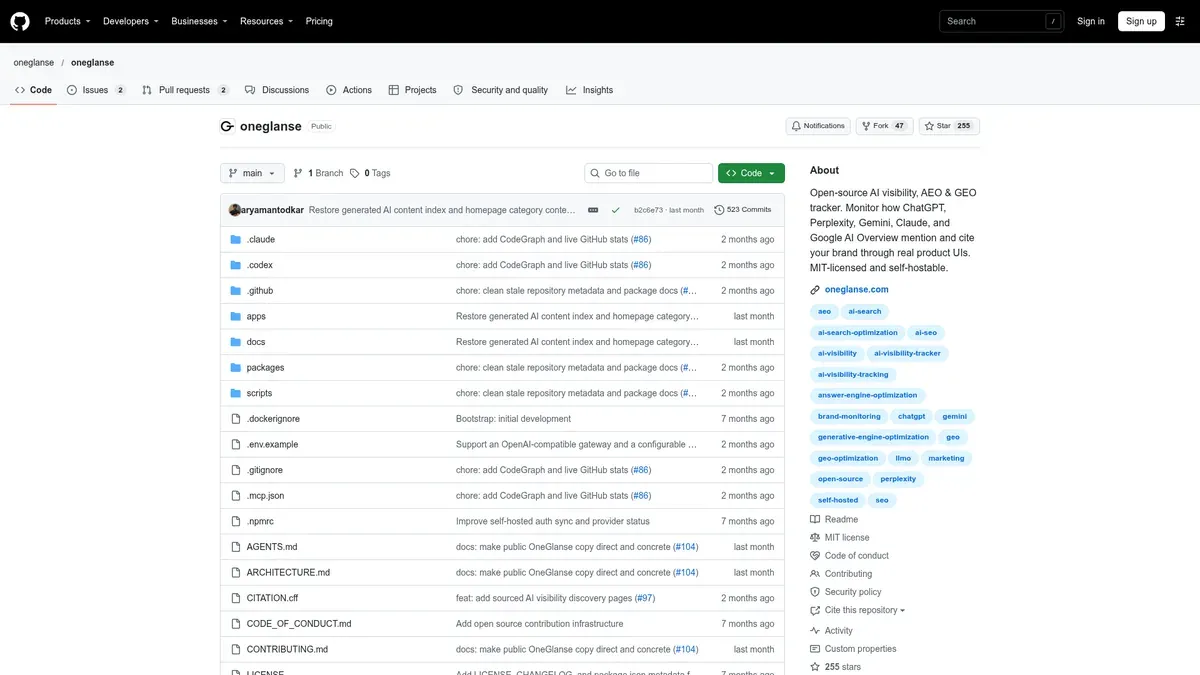
Best for: a consultant who likes open-source software and wants saved answers from the real AI product interfaces, run on their own computer or server.
OneGlanse runs your chosen prompts on the AI websites themselves instead of calling a model API. You pick the brand, competitors and prompts, and it saves the answers, the citations and the source domains. The dashboard shows sources next to visibility, rank, sentiment, recommendations and changes over time, and you can inspect any saved response. It runs manually or on a schedule in a self-hosted setup, it's MIT-licensed, and it covers ChatGPT, Perplexity, Gemini, Claude and Google AI Overview. Google AI Mode isn't on the supported list we reviewed.
The software costs nothing, but the running of it isn't free. You need Node.js 20 or newer, pnpm 10 or newer and Docker, plus accounts for the AI products you track and an analysis-model key. A server or proxy can add cost depending on how you deploy it. Captured text goes to the OpenAI, Anthropic or compatible endpoint you configure for analysis, so local storage doesn't mean nothing leaves your machine, which is worth remembering with client material. The scores come from that model's reading of the saved text, not from the AI sites. We confirmed that citations and source domains are recorded, but not a ranked URL leaderboard, a source CSV format or white-label reports.
It beats AeoNut when open-source control and running the system yourself matter more than a hosted workflow with client reporting.
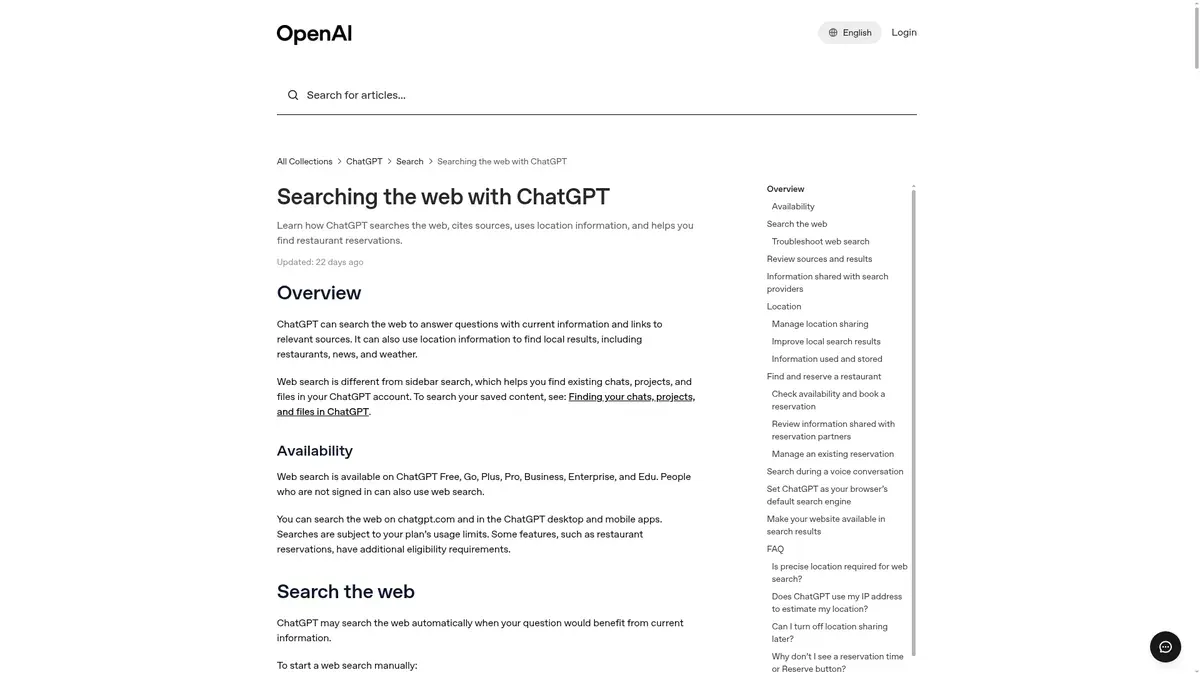
Best for: checking the sources behind a single ChatGPT search answer before you decide whether you need a tracker at all.
OpenAI documents search access for ChatGPT Free users, including logged-out use. Answers can carry inline citations, and on desktop web you can hover over one to preview it and click through to the source. A Sources panel sits under the response. That panel can hold cited sources and other relevant links, so don't count every link in it as a citation backing a claim, especially if you're building a source spreadsheet by hand.
A simple manual routine works fine. Ask the real client question, open the answer that used search, and write the prompt, date, domain, exact URL and supporting text into your own sheet. That's a workflow we suggest, not a built-in export. The limit is that it covers ChatGPT only, with no count of domains across prompts and no comparison over time, and free use comes with usage limits that the documentation doesn't put a number on.
It beats AeoNut when you only need to see the evidence behind one answer and aren't building a monitoring campaign.
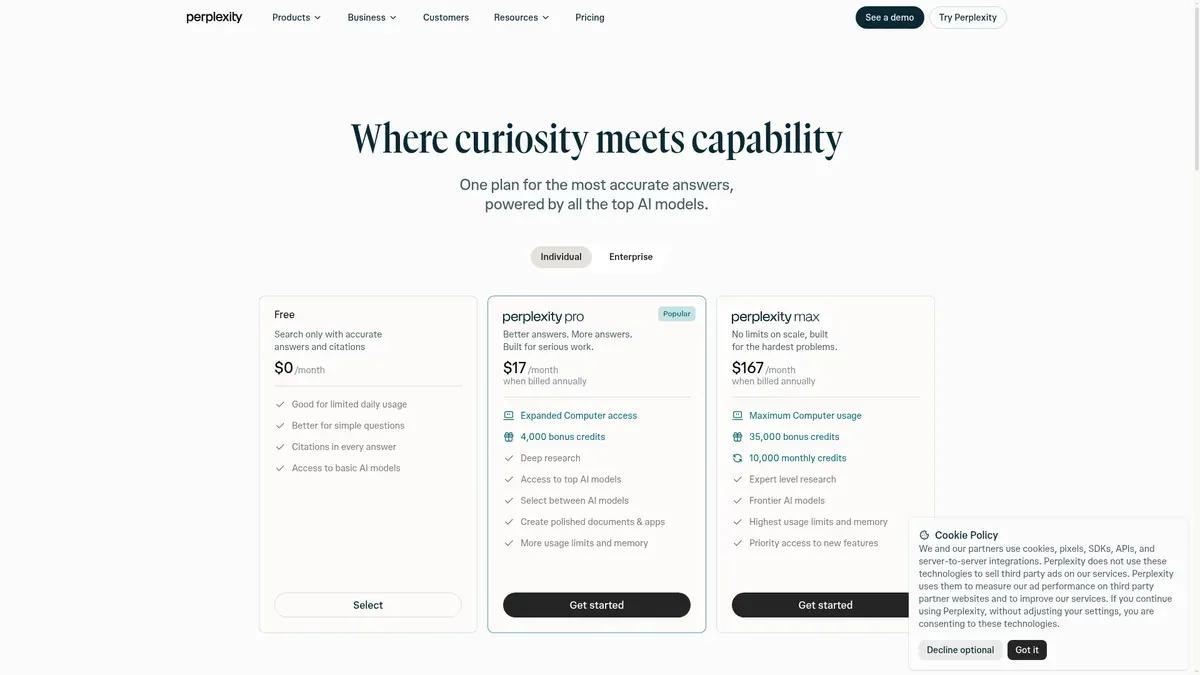
Best for: an immediate answer with sources in Perplexity, recorded by hand.
Perplexity's consumer pricing page describes citations as part of the free search experience. Its help pages separate basic searches from the more limited Pro and Research modes, and the help comparison lists three Pro searches a day and one Research query a month on Free, which are mode limits and not a cap on all searching. Don't mix the consumer plan up with the separately priced developer APIs.
You ask your client's question, review the sources attached to the answer and log them yourself. We didn't confirm a bulk source export, a domain leaderboard or a client report on this free route. It covers Perplexity only, and a source list from one answer won't give you a history.
It beats AeoNut when you want a quick Perplexity-only check and no ongoing campaign.
A few habits keep a source list honest, whichever tool you use.
A simple evidence sheet with columns for prompt, engine, collection method, date, domain, URL and a note about the answer text will cover most client questions. It also makes it easy to compare two tools, because different tools often show different sources for the same question, since they use different prompts, engines or methods.
Not everyone needs a platform, and a one-off source check is a perfectly good job. AeoNut becomes the better pick when you need to do the same check again next month and show it to a client in your own branding. If you're still deciding what kind of free offer suits you, the guide to free AI visibility tools by job is a good next read, and it covers the other jobs a free tool can do. Anyone who typed "which sources AI cites free tool" into a search box will probably end up using more than one of the tools above.
Start free with AeoNut. Track one client's prompts, inspect the cited sources and prepare reports in your own brand. The platform is free, and your provider bills the answer data at its own price.
AeoNut, Storyline's AI Citation Checker, Ahrefs' free AI Visibility Checker and OneGlanse all show cited sources. They suit different jobs: recurring hosted tracking, topic snapshots, a brand-level preview and self-hosted monitoring. ChatGPT Search and Perplexity also let you inspect sources by hand.
No. A checker gives you a snapshot or a limited preview. A tracker keeps your chosen prompts and repeats the observations over time. Free software, a free hosted platform and free consumer searches also come with different running costs.
Yes, with tools that show URL detail. AeoNut documents cited domains or URLs, Storyline gives source URLs by topic, and Ahrefs' free report includes its top five cited source URLs. Don't assume every tool has the same depth or the same export options.
They may use different prompts, engines, collection methods or timing. Storyline also caches identical inputs for 24 hours, and its API-based ChatGPT and Perplexity answers can differ from the apps. Compare like with like, and treat the result as a sample.
Tools & Comparisons ·
Compare free tools that report citation rate and brand mention rate as separate numbers, and see which are ongoing plans and which are one-time checkers.

Tools & Comparisons ·
Is a self-hosted AI visibility tracker worth your time? Compare setup, upkeep, data control and engine coverage with a managed free plan before you decide.

Tools & Comparisons ·
Which free AEO tracking tool keeps running, saves history and shows change? Compare five free options on schedule, trends and alerts to pick one for a client.