

Tools & Comparisons ·
Free Tools That Track Citations and Brand Mentions Separately
Compare free tools that report citation rate and brand mention rate as separate numbers, and see which are ongoing plans and which are one-time checkers.
Find a free tracker for one brand in several languages. You get a comparison of four tools and three checks to run before you promise a client anything.
Avinash Saurabh · · 18 min read

If a client sells in more than one language, you will get asked whether the brand shows up in ChatGPT in Spanish, in French, or in whatever other languages their buyers use. That is the job of multilingual AI visibility tracking, and people usually search it as "track brand in AI answers other languages" because they want to know before paying for a tool. Most free tools were built around English prompts, so a quick answer takes some checking, and a free AI tracker for multiple languages is harder to find than the marketing suggests. This guide covers free multi-language AI visibility tracking for one brand, and it sorts the free options by what they actually let you do in more than one language.
The short version is that AeoNut is where we would start, because the platform is free forever, prompts are unlimited, and you bring your own keys. The data is what your providers charge, and AeoNut shows you the estimate before anything runs. We also have to be straight about the language part. None of the free tools we looked at proves, in its public documentation, that it passes all three language checks together, and we have not run hands-on multilingual tests on any of them. So this guide gives you the options, what each one says about languages, and a short test you can run yourself before you promise a client anything.
If you are still working out which job you need a free tool for, our guide to free AI visibility tools by job sorts that out first. Here is what we looked at, in this order, because it matches what a consultant with one client needs.
We did not give anyone a numeric score, and most of what we know about the competitors comes from their own pages, so read their entries as what each vendor says, not as results from a test.
Vendors also use different labels for the same job, which our guide to AEO, GEO and LLM tracking tools untangles. A few words are worth pinning down. The prompt language is the language of the question you send. The answer language is the language the engine replies in, and it is not guaranteed to match, because a Spanish question can get a mixed or English answer. Full-answer capture means you can read the complete response, not only a mention flag. Language-separated results means each prompt and answer can be traced to a language, whether through a built-in filter, a language-specific group of prompts, or a map you keep yourself.
If you only have a minute, this table is the free AI tracker multiple languages shortlist in one place.
"Not established" in this table means the public pages we reviewed did not settle the question. It does not mean the feature is missing.
| Tool | Free arrangement | Non-English prompts | Captured answers | Language separation | Role |
|---|---|---|---|---|---|
| AeoNut | Free forever, one client project, unlimited prompts, your own provider charges | Not explicitly established in public documentation | Full-answer API with response text, citations and brand and competitor findings | Prompt IDs and prompt categories documented; a native language filter is not | Our pick for the free one-brand workflow, with multilingual claims kept conditional |
| Notion Cue | Homepage lists Free, Pro and Agency tiers at $0 | Claims French, German, Spanish and Japanese alongside English | Product guidance says its Citation Tracker captures full response text | Same-dashboard tracking claimed; language filters not established | Clearest published non-English claim, with free-tier questions |
| Llumo | Always free with your own keys, unlimited prompts | Not established | Individual AI responses can be inspected | Not established | A real free alternative with API and MCP access |
| Prompt Monitor | $0 plan, five keywords and ten prompts, daily monitoring | Not established | Not established from the pricing page | Not established | A small daily pilot |
Three more free offers sit outside the table because they are snapshots or a monthly scan, and we cover them after the ranked entries.
Best for: a freelance SEO or AEO consultant who wants ongoing tracking for one client, plenty of prompt room, reports under their own name, and a clear line between the software fee and the provider cost.
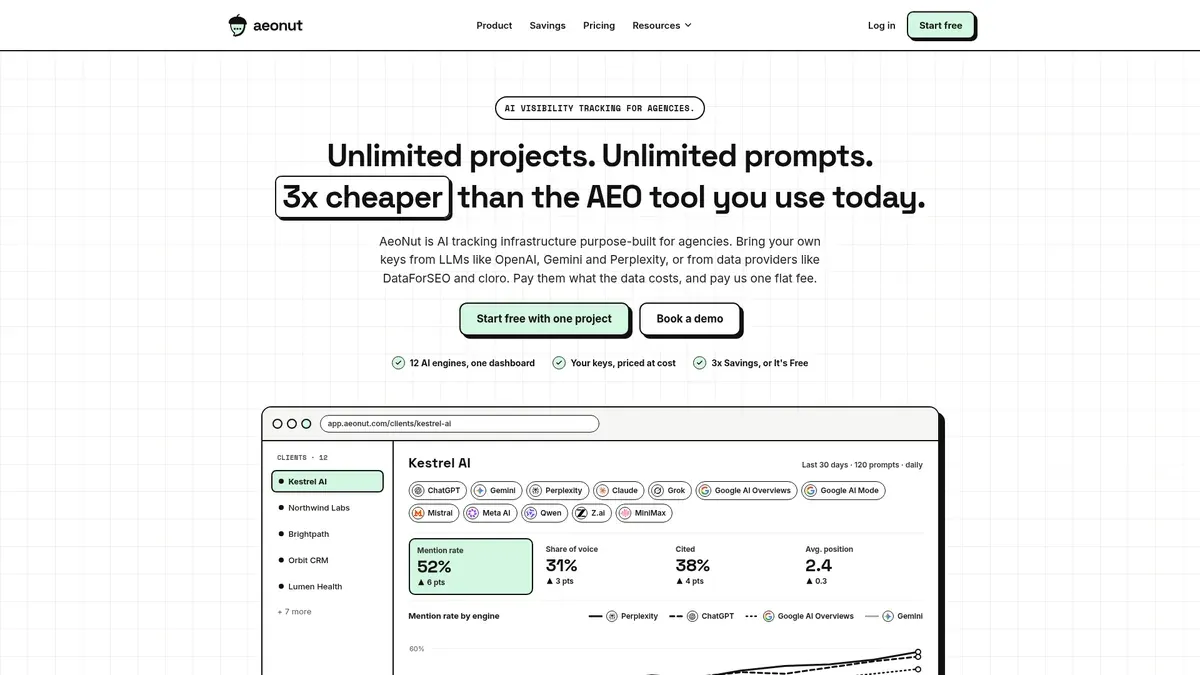
AeoNut's Free plan is a full AI visibility tracker for one brand. You get one client project, unlimited prompts, every feature, all twelve engines (ChatGPT, Gemini, Perplexity, Claude, Grok, Google AI Overviews, Google AI Mode, Mistral, Meta AI, Qwen, Z.ai and MiniMax), and no card. That matters for a multilingual project in a plain way. Every extra language multiplies the questions you want to watch, and unlimited prompts means a plan allowance never forces you to drop a question just because it exists in three languages.
Here is how the numbers can run. Say you have ten questions your client's buyers ask, and you track each in three languages. That is thirty prompt records. Track them on three engines with four collection rounds and you have 360 planned observations. On AeoNut's Free plan none of that runs into a software cap. The setup also fits other readers, and free AI visibility tracking by reader and industry shows how a freelancer's version compares with an in-house one. The data still costs something, because your providers bill for each answer, and retries or failed runs can change the count. That is why AeoNut shows the estimated monthly data cost before tracking starts, and why you can set budget caps and alerts. The platform is free and the data is what your providers charge.
One thing to be careful about is what we claim for languages. AeoNut's public documentation does not spell out which prompt languages it supports, and it does not describe a built-in language filter, so don't plan around either one. What it does document is the evidence trail you need to check languages yourself. In the API, each prompt has an ID, its text and a category. The prompt answers endpoint returns the answer time, the full response text when you ask for it with full=1, the citations, whether the brand was mentioned or cited, and which competitors appeared. The compact preview is only the first 80 characters, so for a language audit always ask for the full answer. Results come back newest first, up to 200 at a time, and reports run over 7, 30 or 90 days. Those ranges are reporting windows, not a data-retention promise.
That gives you a practical way to keep languages apart. Keep a small sheet that maps each prompt ID to its language, and, if your account lets you name prompt categories, use categories such as "Spanish, pricing questions" so the category reports compare like with like. If you go that route, tell the client the grouping is yours, not a built-in language dashboard.
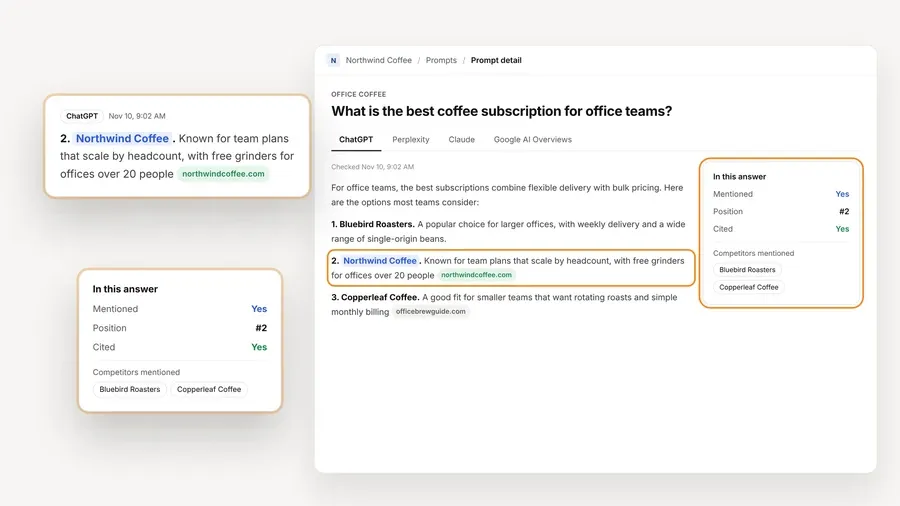
The figure above is the kind of record that makes an audit possible. Each tracked prompt keeps the raw answer for each engine, so you can open it, read what language it came back in, and see whether the brand was mentioned or cited. The numbers on that screen are demo data from a fictional brand, so read it for what AeoNut records, not for any result.
Reporting is where one-brand work usually pays for itself, and our guide to free AI visibility reporting tools covers what to send a client. AeoNut tracks mention rate, citation rate, average position, share of voice and sentiment, with trends by engine and prompt, and white-label client reports go out in your branding, on Free too. You can export CSV, and the read-only API and MCP server let an assistant read the same data.

Keys are how the cost stays honest. You connect your own key from OpenAI, Anthropic, Gemini, Perplexity or DataForSEO, one provider is enough to start, and every project can use it. If you only need one engine checked, our comparison of per-engine free checkers or one free tracker helps you decide whether twelve engines are overkill. Pro is $99 a month ($79 a month billed annually) for up to 10 client projects, and Unlimited is $499 a month ($399 a month billed annually) for unlimited projects, so the same setup grows with you when more clients arrive. Every plan includes every feature.
Where this stops: if your first question is "which tool says it runs Japanese prompts," AeoNut does not have a published language list to point to, and that is the one place Notion Cue is easier to read today. The mitigation is the full-answer record described above, which lets you run the acceptance check yourself on your own prompts and see what comes back.
Best for: a consultant who cares most about a vendor stating plainly that non-English prompt sets work, and who is fine sorting out the free-tier details.
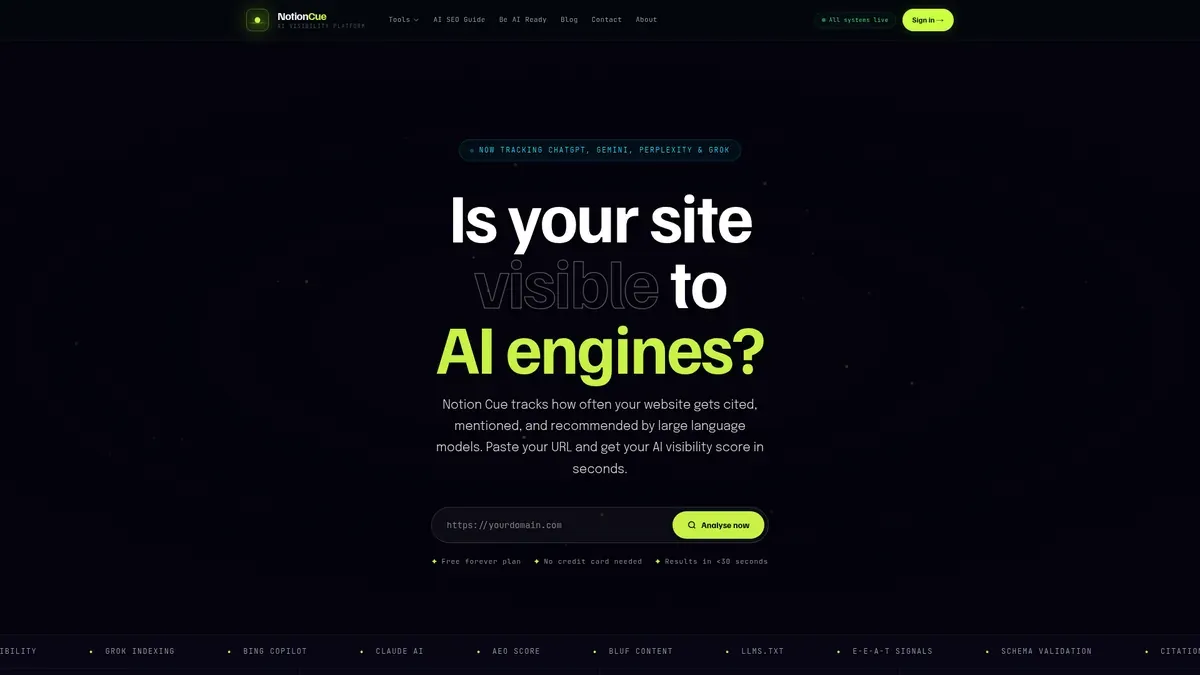
Notion Cue's own multilingual guidance says its Prompt Tracker supports non-English tracking across five engines. It names French, German, Spanish and Japanese alongside English and says those prompt sets run in the same dashboard. Other guidance on its site describes scheduled Prompt Tracker runs and a Citation Tracker that captures full AI response text. That is a more direct language claim than we found on the AeoNut, Llumo or Prompt Monitor pages.
Its homepage shows three tiers at $0 a month. Free covers one domain scan a day, with a score for three LLMs, a basic citation count and seven days of history. Pro covers ten domains with six LLMs tracked daily, 90 days of history and CSV and PDF exports. Agency covers unlimited domains, white-label reports and 365 days of history, with a contact-sales route and an API marked as coming soon.
Where this stops: the strongest language claims are not clearly tied to one ongoing free tier. The homepage shows $0 tiers, while one of its guides invites a free trial, and the engine counts differ between pages (five in one place, three or six in tier descriptions). We would not pick the most generous number from each page and treat it as one free plan. Same-dashboard tracking is also not the same as language-separated results, and we could not confirm a language filter or language-level totals. If non-English input is your deciding factor, Notion Cue is worth testing first, and it is worth confirming which tier your multilingual prompts land in before you build a client's tracking on it.
Best for: a technically comfortable consultant who wants another free platform that runs on their own keys, with broad prompt room and programmatic access.
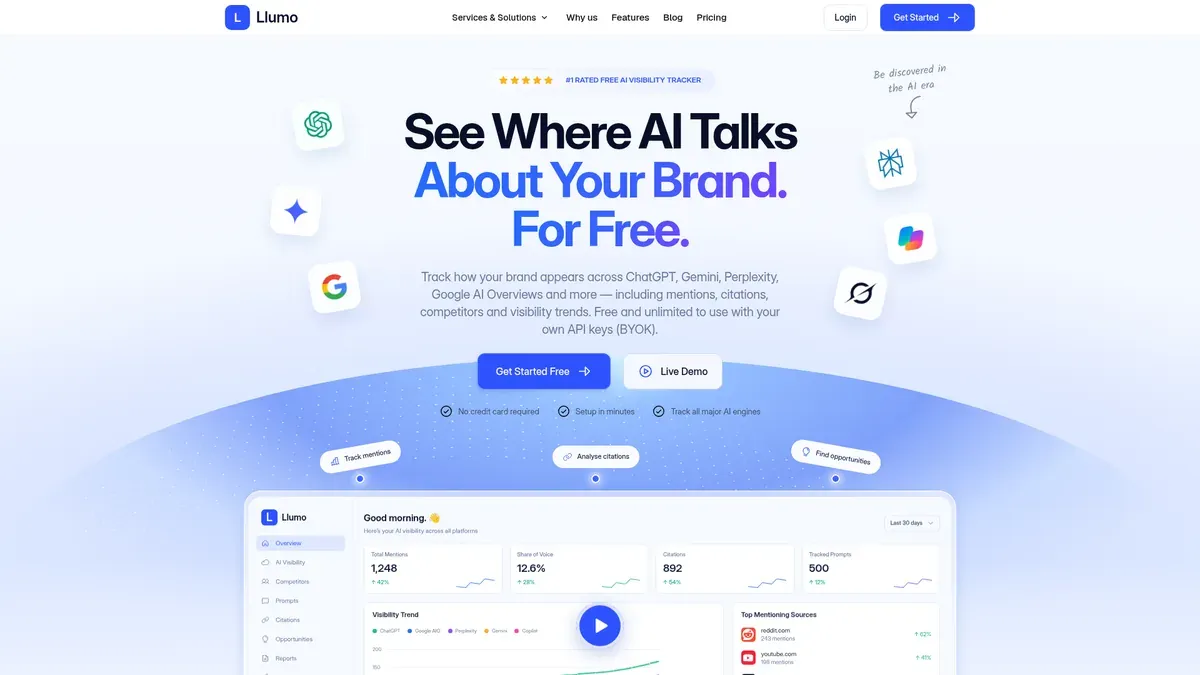
Llumo says its platform is always free when you use your own AI API keys. It advertises unlimited prompts, unlimited brands and projects, and individual response inspection that shows which brands appeared and which sources were cited. It also mentions API access and MCP support. The page names ChatGPT, Gemini, Perplexity, Google AI Overviews, Copilot and Grok.
It is also the reason we do not claim AeoNut is the only free option with unlimited prompts. Llumo advertises that too, so we wrote the AeoNut entry around its one-brand client workflow, white-label reports and cost preview instead.
Where this stops: the page we reviewed does not document multilingual prompts or language-separated reporting, and it lists "custom branding" without enough detail to promise white-label client PDFs. We also could not confirm scheduling controls or how long history is kept, which is worth knowing if you want to keep your tracking history across months. Response inspection is useful for the language check, but it does not prove language support by itself.
Best for: a short, deliberate pilot that fits inside ten prompts and benefits from daily checks.
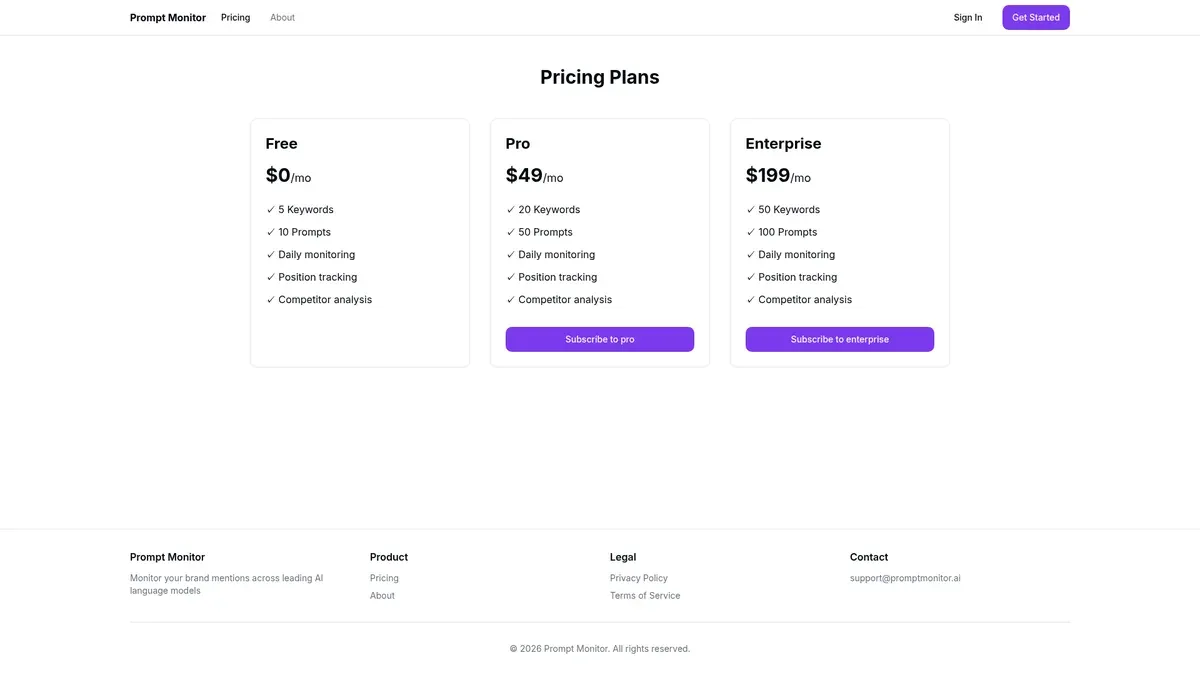
Prompt Monitor's pricing page shows a standing Free tier at $0 a month with five keywords, ten prompts, daily monitoring, position tracking and competitor analysis. The page does not say "free forever," and it does not show an expiry either. Engines, exports, an API and white-label reports are not mentioned.
Where this stops: ten prompts goes quickly once each language is its own prompt. Three questions in three languages already uses nine. The arithmetic fitting does not show that the product runs those languages, and nothing on the pricing page does either, so treat it as a daily-monitoring pilot and not a confirmed multilingual tool.
Three other free offers come up in this search. They are useful, and they are not ongoing multilingual trackers, so we kept them out of the ranking.
A free checker gives you one snapshot. It does not give you a saved panel of prompts in your client's languages, runs that repeat, or a history for each language, and repeated manual checks are not the same thing. If you are weighing a paid tracker against all of this, what you keep and give up spells it out. If you want the wider picture of what each kind of free offer gives you, our guide on free plans, trials and one-off checkers lays it out.
The same checks are how you track brand in AI answers other languages without fooling yourself.
Whichever tool you pick, run the same short test of multilingual AI visibility tracking. It is a way to judge a tool, and we have not run it on any of the products above, so we can't tell you how any of them score. Pick one brand and write down its exact spelling and any real aliases or script variants. Don't assume the tool matches aliases for you.
Then keep a simple prompt register in a spreadsheet, with your own columns: prompt ID, intended language, exact prompt text, engine, collection time, actual answer language, brand mentioned, brand cited, full answer available, and run status.
Enter a few real questions in each language you need and confirm that the exact wording stays in the saved record. For a project-management client, you might use these three versions of the same idea:
These are examples of input, not measured search demand, and the wording is not exactly equal across languages. A tool passes this check when the Spanish question is still identifiable as the Spanish question after it runs. A tool that only offers an English prompt set, or rewrites your wording, has not passed.
Open the complete answer for each language and engine. Write down what language it actually came back in, whether the brand was mentioned, and which sources were cited. A saved prompt with its complete answer, side by side, is good evidence. A score, a paraphrase or a short preview is weak evidence. A valid prompt that gets a mixed-language or unexpected-language answer needs a note, not a quiet fix. And if there was no usable answer at all, count it as a failed collection, because that is not the same as "the brand was not mentioned."
With AeoNut's API, asking for full=1 is how you get the full answer. A null response text is missing evidence, so don't read it as a negative result.
Make sure every result traces back to its prompt and its language. A built-in language setting is the best case when it exists. Without one, use a documented category workflow or your own prompt ID map. Don't name a "Language" filter in a client report unless you have seen it in the product, and don't quietly require a separate paid project per language while calling it one free brand project.
Here is why this matters. Say the brand appears in 8 of 10 usable English answers, so 80%, and in 2 of 10 usable Spanish answers, so 20%. Pool them and you get 10 of 20, or 50%, which hides a large gap in Spanish. Those numbers are made up to show the effect, and they are not findings about any brand or tool. In your client report, show how many usable answers sit behind each language's percentage, and keep the engines visible where you can.
Keep the core panel stable from one run to the next. If you change a prompt, keep the old wording or mark the change, so a rewording doesn't look like a change in visibility.
If you are also deciding which questions to put in the panel at all, our guide to free AI prompt research tools helps you choose what to track.
Pick by the one thing that decides it for your client, because a free AI tracker multiple languages shortlist rarely wins on every row.
If your client's markets are a question of country and not language, that is a different setup, and this guide leaves it to a separate piece. It also does not cover translating the client's content. For the wider map, see which kind of free offer fits you.
If you want one brand tracked for free and the freedom to add every prompt your client needs, start free with AeoNut. Bring your own keys, keep every prompt you need, and see the estimated data cost before tracking runs. Then run the three checks on your own languages and see what comes back.
AeoNut is a good free-forever starting point for one brand, because it has unlimited prompts, full-answer access and client reporting, with the data billed by your own providers. Its public documentation does not explicitly confirm multilingual input or a native language filter, so run the three checks on your own languages. Notion Cue says it supports non-English prompt tracking, but which free tier includes it and whether results are separated by language are not fully clear. Neither one should be promised to a client as passing every check without your own test.
No. AeoNut's platform is free for one project, and your providers charge for the answer data at their prices. Llumo describes the same kind of free bring-your-own-key model. More prompts, languages, engines or collection rounds can all raise provider usage, which is why the cost estimate before tracking runs is worth reading.
Give every prompt a language, tie each full answer to its prompt ID, and report the usable-answer count for each language on its own. Use a built-in grouping if the tool has one, or your own map if it does not. Just don't describe your own map as a built-in language dashboard.
It gives you a first snapshot. It does not give you a saved panel in your client's languages, repeated runs, or a separate history for each language. The Ahrefs checker and the HubSpot grader are good openers for a conversation, and they are not a stand-in for ongoing tracking.
Tools & Comparisons ·
Compare free tools that report citation rate and brand mention rate as separate numbers, and see which are ongoing plans and which are one-time checkers.

Tools & Comparisons ·
Is a self-hosted AI visibility tracker worth your time? Compare setup, upkeep, data control and engine coverage with a managed free plan before you decide.

Tools & Comparisons ·
Which free AEO tracking tool keeps running, saves history and shows change? Compare five free options on schedule, trends and alerts to pick one for a client.