

Tools & Comparisons ·
Free Tools That Track Citations and Brand Mentions Separately
Compare free tools that report citation rate and brand mention rate as separate numbers, and see which are ongoing plans and which are one-time checkers.
Find a free tool that gives you something to send a client. You'll see what each exports, how presentable it is, and where the free version stops short.
Avinash Saurabh · · 18 min read
A client asks how they're showing up in ChatGPT, you run a free checker, and you get a score. It's a good start, but a score on its own isn't something you can send as an update. The client wants to know which questions were checked, who showed up instead, and whether anything changed since last month. If you're a freelancer with a handful of clients and no tool budget, you need to know which free AI visibility reporting tools can actually give you something to send, and which ones make free AI visibility reports for clients that look like a real update.
This guide goes through six free options and looks at one thing in each: what you can hand a client when the check is done. That means a report, a link, a file, or just a result on a screen that you have to rebuild yourself. We start with AeoNut, because it's built for coming back next month with comparable evidence, and then cover Searchable, HubSpot, Track My Visibility, Semrush and Ahrefs.
For a repeatable update on one client, AeoNut is the free option to start with. Its Free plan is free forever, with unlimited prompts, every feature, and your own provider keys. It's also the only AI visibility tracker that is free forever with unlimited prompts. Some tools have credit-capped free plans, and several offer free one-off checkers or graders, which are a different thing from ongoing tracking. It makes client reports, shareable links and exports for one client project. The platform costs nothing, but the AI answer data is billed by your own provider at its price, and AeoNut shows you the cost before anything runs.
If you only need a quick baseline to share, Searchable gives you a free interactive report you can share, HubSpot describes an exportable grader report, and Track My Visibility emails you a free snapshot. Semrush and Ahrefs are handy for a quick look, but you'll likely be packaging the results yourself.
A free reporting tool earns a place here when it helps with the real job of sending a client update. These are the seven things we looked at in each of the free AI visibility reporting tools.
This is an editorial judgment about the reporting job, not a lab test. We didn't download sample files from each tool or score them out of ten, and "not confirmed" means we didn't find it documented, not that it can't exist.
| Tool | Best for | Free access | What you can hand a client | Where the free offer stops |
|---|---|---|---|---|
| AeoNut | Recurring updates for one client | Free forever, one client project, unlimited prompts, your own keys | Client reports, shareable links, PDF, Excel and Markdown reports, CSV export | One client project; answer data is billed by your provider |
| Searchable Free AI Visibility Report | A quick shareable baseline | Free standalone report, no card | An interactive, shareable report | Free recurring monitoring isn't established |
| HubSpot AI Search Grader | Explaining how AI describes a brand | Free one-time check, no account or card in HubSpot's grader materials | An exportable report, file type not established | A snapshot, not ongoing tracking |
| Track My Visibility Free AI Visibility Checker | A quick emailed starting point | Free one-time snapshot, no card | A report sent to your email | ChatGPT and Perplexity only, not ongoing |
| Semrush Free AI Visibility Checker | A Google-inclusive baseline | Free checker, usage limits not established | An on-screen report; export and sharing not confirmed | Saved history and scheduled checks not promised |
| Ahrefs AI Visibility Checker | A fast no-account mention check | Free, no signup or card, no limit on brands checked | A limited preview; export and sharing not confirmed | Top five results per section, no historical tracking |
Not every one of these produces free AI visibility reports for clients in the usual sense. AeoNut is ongoing reporting with several ways to get the result out. Searchable, HubSpot and Track My Visibility each deliver or describe a standalone report. Semrush and Ahrefs show you a result that you may need to package yourself, and a screenshot isn't the same as a native PDF, an editable spreadsheet or a report the client can open on their own.
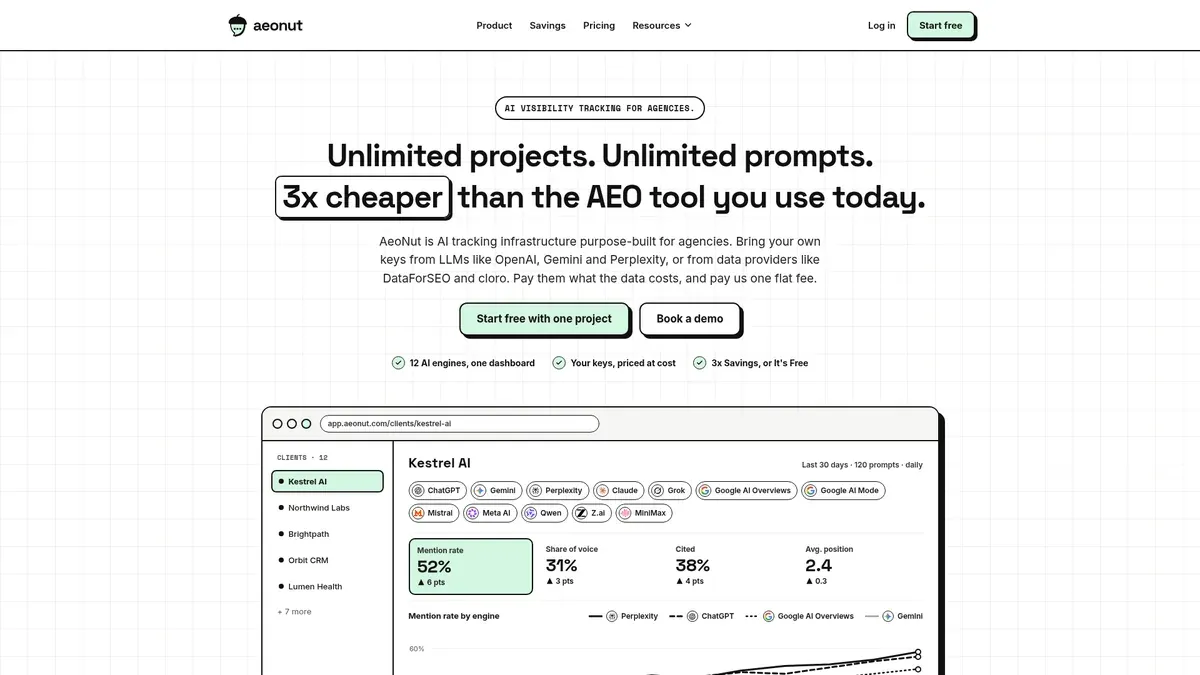
Best for: a freelancer who wants to track one client's real questions month after month and send updates without paying for a platform.
AeoNut's Free plan is free forever, with no card. It gives you one client project, unlimited prompts, every feature and all twelve engines: ChatGPT, Gemini, Perplexity, Claude, Grok, Google AI Overviews, Google AI Mode, Mistral, Meta AI, Qwen, Z.ai and MiniMax. You connect your own provider keys. One key from a single provider is enough to start, and the supported providers are OpenAI, Anthropic, Gemini, Perplexity and DataForSEO.
What makes it work for reporting is that the client project holds everything together. Your prompts, competitors, engines, countries and schedule live in one place, so next month you come back to the same scope instead of starting a fresh check. You choose how often it runs, daily, twice a week or weekly, and for each engine you can pick scraped data, which is the answer a real user sees in the app, or API data from the exact model you choose. Note which one you used when you write to the client. The free AI search rank tracking tools guide covers how often free tools run.
The evidence behind each update is what a client usually asks about. AeoNut reports Mention rate, Cited, Avg. position, Share of voice and Sentiment, with trends by engine, prompt and country. You can also open the raw AI answer for each prompt, see which sources were cited and which of the client's own pages were cited, and compare against the competitors you track. So when a client asks why a number moved, you can show the answer behind it.
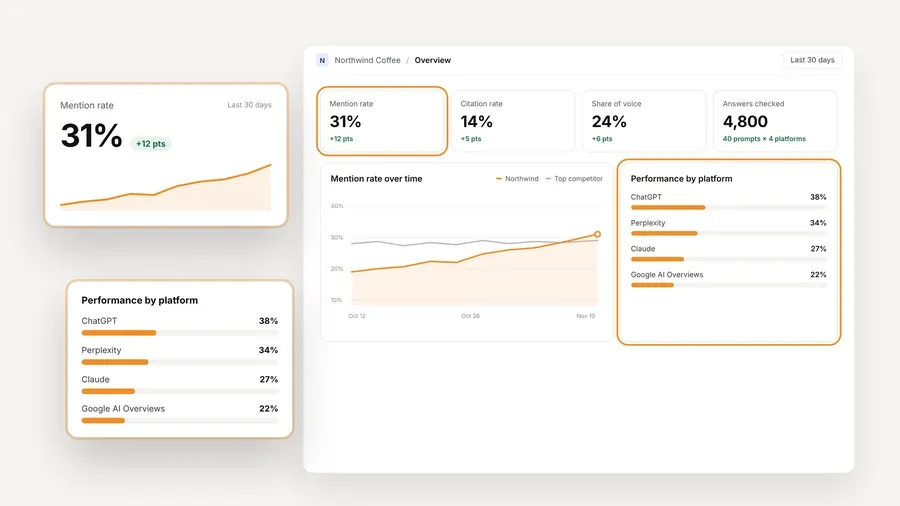
When it's time to send something, you can generate a client report or share a link. You can export a PDF report to attach, an Excel report if you want to edit it, or a Markdown report if you'd rather pull the findings into your own written update. CSV export is there for the raw numbers. We haven't checked every layout detail of those files, so look at one before you send it to a client.

There's also a read-only MCP server with a ready-made Weekly visibility briefing prompt, so an assistant like Claude can help draft a summary. Read whatever it writes against the real answers before you send it.
The cost is easy to get wrong, so here it is plainly. The platform is free. The AI answer data is billed to you by your own providers, at their prices, and AeoNut doesn't mark it up. Before tracking runs you see a cost preview, and you can set budget caps and alerts, plus restricted keys with spending limits. For one client with a prompt list you chose on purpose, that keeps the data bill something you can plan for, though it isn't zero.
One project is the limit on Free. If a second client comes along, Pro covers up to 10 client projects, and that's a separate decision for later. If you're weighing a switch away from a paid tool, free alternatives to paid AI visibility trackers shows what you keep and give up. The free AI visibility tools by job guide matches tools to tracking jobs if you want to see where reporting fits among them.
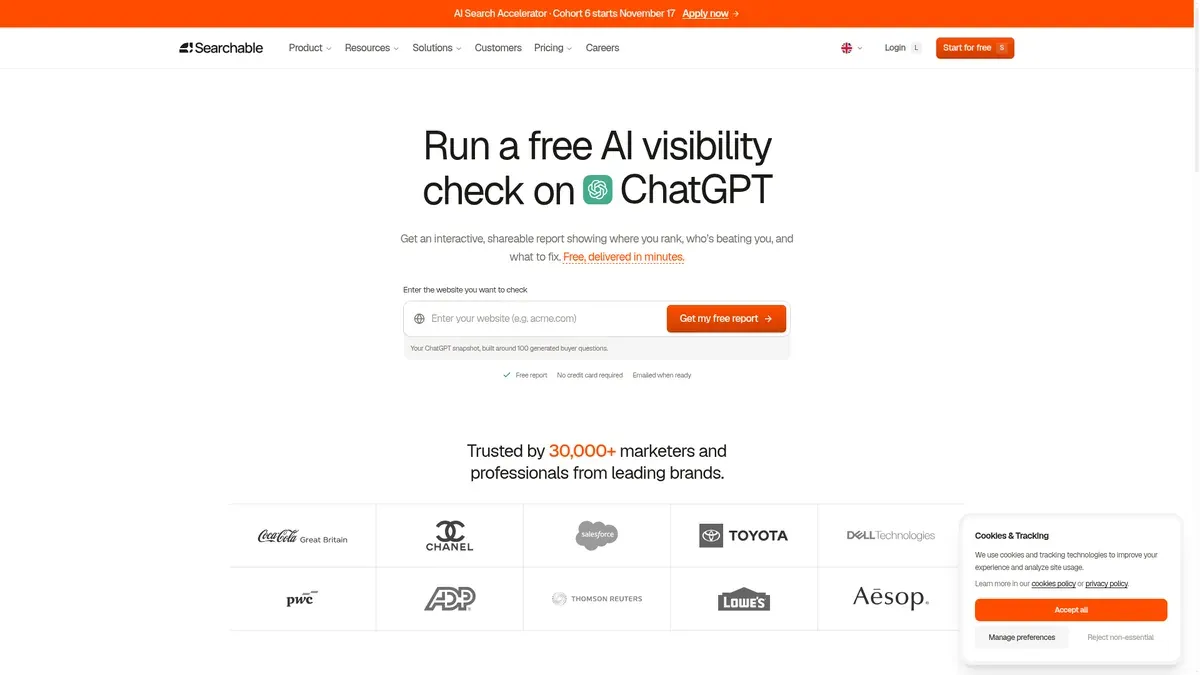
Best for: a consultant who needs a first report to share quickly and doesn't need the free offer to keep monitoring.
Searchable's free report page promises an interactive, shareable report that shows where a brand ranks, which competitors are ahead and what to improve. It names ChatGPT, Google and Perplexity, and it says no credit card is needed and the report arrives in minutes. The preview mentions a visibility score and competitor analysis.
Of the standalone options, this is the one most clearly meant to be passed on, which suits a client who'd rather open a link than read an attachment.
The limits are worth knowing. This is a free report, not a free monitoring plan, and the same page has a separate free trial button, so don't mix the two up. We couldn't confirm how many reports you can request, how long a shared link stays live, who can open it, or whether you can export it to PDF, CSV or Excel. Send it to yourself first and check that a client can open it and understand what was measured.
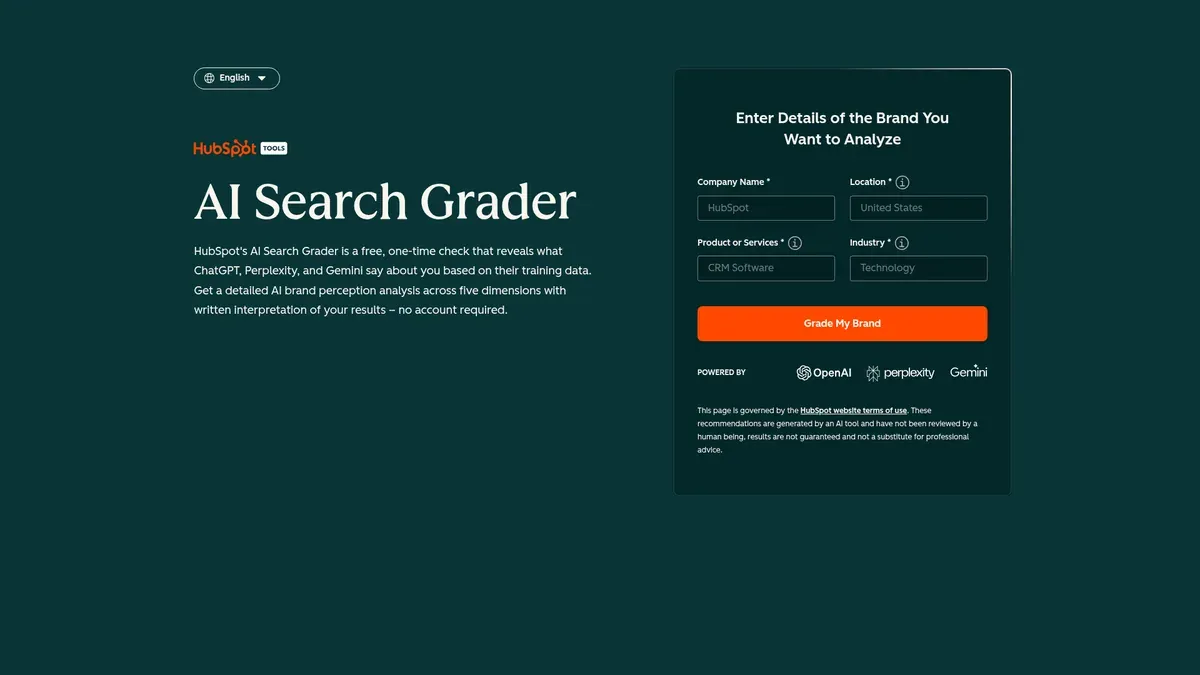
Best for: a consultant whose client wants to know how AI describes the company and why that matters.
HubSpot's free grader is called AI Search Grader on its current page and AEO Grader in other HubSpot materials. It's a free one-time check, and HubSpot's AEO Grader materials say no account or card is needed. A short form is tied to getting the full results, so "no account" doesn't mean it asks for nothing.
The page lists five scored dimensions: sentiment, presence quality, brand recognition, share of voice and market position, feeding an overall score out of 100. The grader materials also describe written interpretation, narrative themes, source quality and an exportable report, across ChatGPT, Perplexity and Gemini.
The writing is what sets it apart. When a client asks "what does AI actually say about us?", a short written read of how the brand is described gives you something to talk through that a bare count wouldn't. HubSpot does say the report is exportable, but the first-party material doesn't say whether that's a PDF, a spreadsheet or something else, so don't promise your client a particular file type.
This is a snapshot, not continuous tracking. HubSpot separates the free grader from its ongoing monitoring product, and that product isn't covered here.

Best for: a consultant who wants a quick report in their inbox to review and fold into a first client update.
The checker is a free one-time snapshot with no card, and it verifies your contact details before it sends anything. The page says the report arrives in about two minutes by email, which is the vendor's estimate and not a promise. It covers ChatGPT and Perplexity, and the comparison on the page lists a score, rank, top and missed queries, and competitors.
Those pieces answer the questions a client tends to ask first: are we there, for which questions, and who shows up when we don't? What the page doesn't say is whether the report comes as an attachment, a link or text inside the email, or whether you can download a PDF, CSV or Excel file, so look at what actually arrives before you plan around it.
You'd review it, add your own summary and forward the findings, which is a manual step and not an automatic client delivery. It's a one-time snapshot on two engines, so don't credit it with the wider platform's extra engines or sentiment. We couldn't confirm any repeat-use allowance or saved history.
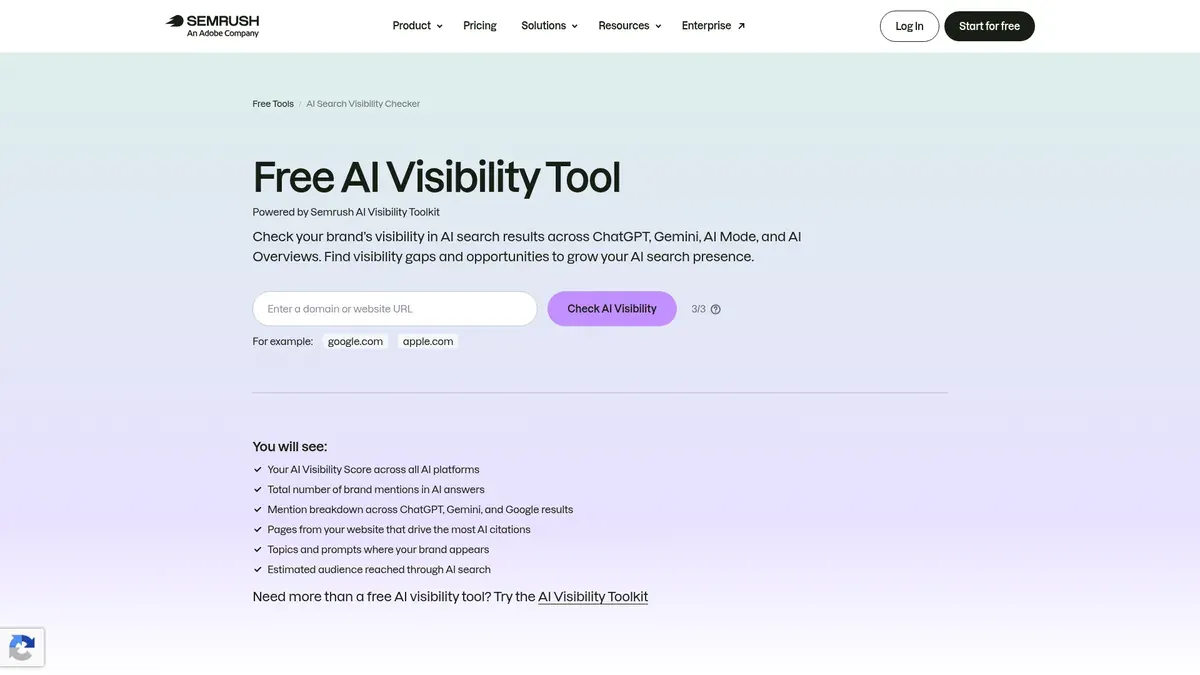
Best for: a consultant who wants a first look that includes Google's AI surfaces and doesn't mind assembling the client update.
Semrush's page names ChatGPT, Gemini, AI Mode and AI Overviews, which makes it the one in this list that clearly includes both Google surfaces. The report is advertised with a 0 to 100 AI Visibility Score, brand mentions, citations and source pages, sentiment, the prompts where you and competitors appear, and competitive benchmarking.
Those are good ingredients for an explanation, and the uncertain part is the handoff. We couldn't confirm a native PDF, CSV, Excel, email delivery or client sharing for this free checker, so you may be the one building the update. The practical route is to record the date, screenshot the parts that matter and copy the figures into your own document. A browser's print-to-PDF isn't a Semrush export, so don't describe it as one.
Keep this entry to the free checker. Don't carry over the paid AI Visibility Toolkit's limits, and don't promise saved history, scheduled checks or a fixed number of free runs, since none were established.

Best for: a consultant who needs a fast cross-platform check without creating an account, especially across several brands or prospects.
Ahrefs needs no signup and no card, and it puts no limit on how many brands you check. It names ChatGPT, Gemini, Perplexity, Microsoft Copilot and Google AI Overviews. Google AI Mode isn't on that list, so don't assume it's covered because it exists elsewhere at Ahrefs. The report shows total AI mentions and mentions by platform, and Ahrefs calls it a limited preview with the top five results per section.
"No limit on brands" is helpful, but it doesn't mean unlimited requests, custom prompts or full data. The top-five preview matters when a client wants the detail behind the headline, and full data and historical tracking sit beyond the free version. We found no native PDF, CSV or Excel export, no email delivery and no sharing link for the free checker.
So the safe approach is a dated screenshot or a short summary you write yourself. It starts a prospect conversation well, but it's thin as the only evidence in a monthly update.
Searches for AI reporting platforms free trial offers tend to blur three different offers together, and it matters which one you're signing up for. A free plan keeps running under its stated limits. A trial is a window that ends. A free check gives you one analysis and nothing after it. Among the six tools above, AeoNut is the free plan, and the other five are standalone reports or checkers, not recurring plans or trials. The free plan, free trial or checker guide goes deeper on telling these apart. The free AI visibility tools overview shows which kind fits you.
If you want to keep a trend, the guide to free AI search monitoring tools that keep history covers what to look for.
A tool gives you numbers, and the update is what you say about them. Here's a way to put one together with any of the six.
On wording, "On the same set of tracked questions, the brand appeared more often this period" is something you can stand behind, while "Your AI visibility doubled" is not, especially if it rests on two unrelated questions. In the same way, "the free checker found no mention in the answers it tested" is fair, and "AI never recommends your business" is not.
If you want a free AI search report template tool, you can build the template yourself in a document, and it doesn't need to be fancy. Here's a simple layout you can copy.
AI visibility update: [client], [period]
Leave a cell as "unavailable" when the tool didn't give you the number, and don't fill it with zero. Zero is a result that was measured, and unavailable means nobody measured it. The free AI visibility tracking by reader and industry guide has setups for freelancers if you want to see how a one-client project might look.
One more reason to keep scope steady: a 2026 paper called "Don't Measure Once" found the cited source sets overlapped by only 34 to 42 percent from one day to the next. That's one study and not a rule for your client, but it's a reason to be careful with a single check.
Pick the one that matches what you're doing this week.
If you track several engines separately, per-engine free checkers or one free tracker lays out what you give up with each approach. The free AEO, GEO and LLM tracking tools guide explains why vendors use different names for the same job. To compare what free plans cap, see free AI visibility plan limits compared.
If you want your first client update to be built on ongoing data and not a one-off score, start free with AeoNut and set up one client project. It's free forever, with unlimited prompts and your own keys, and your provider bills the answer data at its price, which you'll see in the cost preview before anything runs. Add the client's real questions and the engines their buyers use, and you'll have something comparable to send next month.
AeoNut gives you ongoing reporting for one client, with reports, shareable links and exports. Searchable offers an interactive, shareable free report, HubSpot describes an exportable free grader report, and Track My Visibility emails a free snapshot. Semrush and Ahrefs can support an update, but their free checkers' export and sharing options weren't confirmed.
AeoNut produces PDF, Excel and Markdown reports, with CSV export and shareable links as well. Searchable describes a shareable interactive report. HubSpot describes an exportable report without naming the file type, and Track My Visibility confirms email delivery without saying whether it's an attachment.
It can work as a baseline if you save dated results and explain the scope. A monthly comparison needs the same questions, engines and method each time, so ongoing tracking suits you better when the client expects the evidence to be kept.
A free plan is an ongoing offer under stated limits. A trial is an evaluation window that ends. A free check is a single analysis with no monitoring or history attached. AeoNut's offer is a free platform plan for one client, and the standalone reports and checkers in this guide shouldn't be treated as recurring free plans.
Tools & Comparisons ·
Compare free tools that report citation rate and brand mention rate as separate numbers, and see which are ongoing plans and which are one-time checkers.

Tools & Comparisons ·
Is a self-hosted AI visibility tracker worth your time? Compare setup, upkeep, data control and engine coverage with a managed free plan before you decide.

Tools & Comparisons ·
Which free AEO tracking tool keeps running, saves history and shows change? Compare five free options on schedule, trends and alerts to pick one for a client.