

Tools & Comparisons ·
Free Tools That Track Citations and Brand Mentions Separately
Compare free tools that report citation rate and brand mention rate as separate numbers, and see which are ongoing plans and which are one-time checkers.
LLM Pulse has no permanent free plan. See how a free tracker with unlimited prompts compares on engines and reports, and how to move your prompt list over.
Avinash Saurabh · · 15 min read
If you track a client's brand in AI answers and you're looking for a free LLM Pulse alternative, the first thing to know is that LLM Pulse doesn't have a permanent free plan to compare against. Its current public pricing starts at €49 a month for 50 prompts, with a 14-day trial on eligible weekly plans. So the real question is whether a free tracker with no prompt limit can do the same job, and for one brand it can. AeoNut's Free plan is free forever, has unlimited prompts and includes every feature, as long as you bring your own provider keys.
This guide walks through what to check before you switch, how the options compare, and how to move your prompt list over without losing your place. It's written for a freelance consultant or a small team with one brand to track, who wants real trend data without a monthly tool bill showing up before the client has paid for anything.
A free LLM Pulse alternative has to pass a few checks before it's worth your time, and these are the ones used to rank the entries below.
LLM Pulse is the baseline in this guide rather than a competing entry, since it's the tool you're thinking of leaving. The two real options are AeoNut and GEOflux Free, and one of them is much closer to what the title promises.
| Option | Ongoing free plan and prompt limit | Engine coverage that matters here | Reporting and export |
|---|---|---|---|
| AeoNut | Free forever, unlimited prompts, one client project. The platform is free and your provider bills the data. | Twelve engines on every plan, including ChatGPT, Gemini, Perplexity, Google AI Overviews and Google AI Mode. | White-label client reports and shareable links; PDF, Excel, Markdown and CSV exports. |
| GEOflux Free | Free forever, no card, 15 prompts refreshed every three days. Not unlimited. | ChatGPT, Gemini and Google AI Mode on Free. Perplexity and Google AI Overviews are paid-plan engines. | Email digests and three shareable reports per project. Its pages disagree on whether Free includes CSV export. |
| LLM Pulse (baseline) | No permanent free tier on its current pricing pages. Weekly Starter is €49 a month for 50 prompts, with a 14-day trial on eligible weekly plans. | ChatGPT, Gemini, Perplexity, Google AI Overviews and Google AI Mode on paid plans. | CSV and Excel from data tables, branded PDF reports and Google Sheets export. |
Best for: a freelancer, consultant or small team tracking one client brand continuously, with enough prompts to cover everything the client's buyers ask, and a report that carries your name instead of ours.
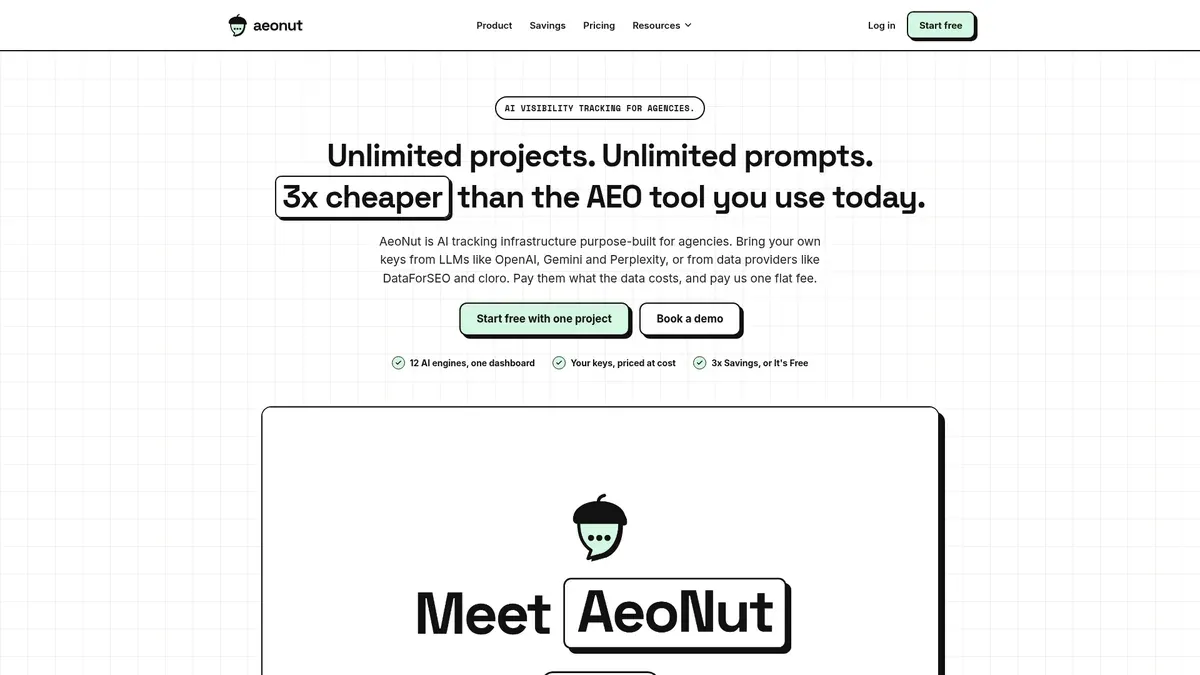
AeoNut's Free plan costs $0 forever, needs no card and covers one client project. It includes unlimited prompts, unlimited team seats and every feature the paid plans have, so you won't hit a prompt cap and have to choose which questions to drop. For a consultant that matters because the right prompt list for a client is usually the one that grows as you learn what their buyers search. For each project you choose the engines, the countries, the prompts and how often it runs, which can be daily, twice a week or weekly.
AeoNut tracks twelve engines: ChatGPT, Gemini, Perplexity, Claude, Grok, Google AI Overviews, Google AI Mode, Mistral, Meta AI, Qwen, Z.ai and MiniMax. That covers all five engines in your minimum list, plus seven more you can switch on if a client asks. For each engine you pick between scraped data, which is the answer a real user sees in the app, and API data, which uses the exact model you choose.
What it measures is the same set of things you'd look at in LLM Pulse: Mention rate, Cited, Avg. position, Share of voice and Sentiment, with trends by engine, prompt and country. Each project also keeps the raw AI answer for every prompt and the sources that were cited, so when a number moves you can open the answer and see why.
A practical way to start is to pick the client's most important engines first, add the prompts their buyers actually ask, and choose a weekly or twice-a-week schedule while you see what the data costs. You can raise the frequency later once you know the numbers are worth it. Because every project keeps its raw answers, you can also bring a real example to the first client conversation, such as the answer where a competitor was named and your client wasn't, instead of talking about averages. That's often what turns a tracking line on an invoice into something the client wants to keep paying for.
The same project view gives you a competitor leaderboard and each competitor's cited pages, so you can see which pages the AI engines are actually pulling from, whether they belong to your client, a competitor or a third party. For a consultant who needs to explain why a number moved, those sources are usually the quickest answer.

Reporting is where a lot of consultants decide. AeoNut produces white-label client reports and shareable links that carry your branding, and exports come as PDF, Excel, Markdown and CSV. That's available on Free too, so the report you send a client doesn't show anyone else's logo. There's also an agency overview, a read-only MCP server, a REST API and webhooks, all on the same plan.
The platform is free. The data isn't, and it's worth being clear about that before you start. AeoNut works on your own keys: you connect OpenAI, Anthropic, Gemini, Perplexity or DataForSEO, and that provider bills you directly at its own price. AeoNut doesn't mark it up. One key from a single provider is enough to start.

Because that can feel like a risk, AeoNut shows an estimated monthly data cost before any tracking runs. You also get spend per client, budget caps and alerts, and AeoNut recommends restricted keys with spending limits, so a surprise bill from a provider is something you can guard against ahead of time. For scale, the site's own example is 10 clients with 100 prompts each, tracked daily on ChatGPT, Perplexity and Google AI Overview, which comes to about $135 a month in data. That's for those exact assumptions. Your number depends on your prompts, engines and schedule, which is why the preview is worth checking first.
Free covers one client project. If you track a second client brand, you'd move to Pro, which is $99 a month ($79 a month billed annually) for up to 10 client projects, or Unlimited at $499 a month ($399 a month billed annually) for unlimited projects. Every plan has every feature, so the only difference is how many projects you can hold. For a one-brand pilot, or a single client you're proving the service on, that's not a limit that gets in the way, and your history stays in place if you grow.

Best for: someone who wants to try ongoing monitoring at no platform charge and can work inside a 15-prompt list, a three-day refresh and three engines.
GEOflux's Free plan is free forever with no card and no stated time limit. It gives you 45 credits, described as 15 prompts, refreshed every three days. ChatGPT, Gemini and Google AI Mode cost one credit per prompt, and those are the engines Free uses. It includes competitor gap analysis, email digests, three competitors and three shareable reports per project, and it keeps answer history so visibility, share of voice, sentiment and citation trends can build up. Seats are unlimited on all plans.
The pricing page says the free offer is limited to 500 accounts. Paid plans start at Starter, which is $99 a month with 150 credits and daily refresh, and a 14-day trial with no card. Growth is $199 a month with 450 credits. Paid plans add Perplexity and Google AI Overviews, which cost three credits per prompt, along with unlimited competitors, Personas, AI Readiness auditing and higher shareable-report limits.
The limit is the one to weigh against your reason for looking. Fifteen prompts is a small list, and a three-day refresh means you'd see a lot less of how answers move from day to day. Free also leaves out Perplexity and Google AI Overviews, which are engines many clients ask about. GEOflux's own pages disagree on whether Free includes CSV export, so check the current plan details before you count on it. The researched plan details don't say whether its reports can be rebranded, so don't assume they can. If your tracking list fits in 15 prompts on three engines, it's a fair free choice. If it doesn't, it won't replace a plan with no prompt cap.

Best for: someone who wants a hosted suite with all five core models on every plan, strong exports and branded PDF reports, and is happy to pay for a capped prompt allowance.
It's worth being fair to LLM Pulse, because the reason you're looking at alternatives may not be that it does anything badly. Its prices are listed in euros. Weekly Starter is €49 a month for 50 prompts and one project, Growth is €99 for 150 prompts and 2 projects, and Scale is €299 for 450 prompts and 5 projects. Higher tiers go to Scale+ at €599 (1,200 prompts, 10 projects) and Scale++ at €1,199 (2,400 prompts, 15 projects), with larger Partner tiers above that. A prompt counts once across the five included models, not once per model. Annual billing is two months free, daily tracking is priced as a separate option, and listed prices exclude VAT and local taxes.
All paid plans include ChatGPT, Perplexity, Gemini, Google AI Mode and Google AI Overviews. Claude, Copilot, Grok, DeepSeek, Meta AI and a few others are optional paid engines, so they aren't in the base price. Weekly Starter, Growth and Scale have a 14-day trial that needs a valid payment method. LLM Pulse's current official pages don't describe a permanent free tier, which means LLM Pulse free really means the trial.
On reporting it's strong. You can export table data to CSV or Excel, send it to Google Sheets, and produce branded PDF reports from pages such as Overview, Prompts, Recommendations, Sentiment and Reputation. Exports follow your active filters and run in the background, and download links expire, with PDF downloads available for seven days. Its material also names a REST API, MCP, a CLI, SDKs and webhooks, though the exact plan that unlocks each one isn't consistent across its pages, so confirm before you rely on a specific tier.
For this comparison the limit is the prompt count. Even the top tiers are finite, and a 50-prompt Starter plan costs money once the trial ends. If you want an LLM Pulse alternative with unlimited prompts, this is the gap to close, and the exports and PDF reports are what you'd want to match.
Prompt limits aren't counted the same way everywhere, and it's easy to compare two numbers that don't mean the same thing. LLM Pulse counts a prompt once across its five included models, so 50 prompts means 50 questions, each answered by all five. GEOflux describes its Free limit as 45 credits, which works out to 15 prompts across its three free engines at one credit each. A prompt on a paid GEOflux engine such as Perplexity costs three credits. So "50" and "15" are real caps, but they're measured in slightly different units, and the number of model answers behind each isn't the same.
AeoNut has no prompt cap at all, so the number to watch is the data cost. That depends on how many prompts you add, how many engines you run them on and how often. If you add 200 prompts and run them daily on four engines, the provider charges will be higher than for 40 prompts run weekly on two. You control that, and the cost preview shows it before you commit. That's the practical way to answer the question behind an LLM Pulse alternative unlimited prompts search: the platform won't stop you, so your own budget sets the size of the list.
It also helps to compare prices in the same currency and on the same basis. LLM Pulse lists its base prices in euros, excluding VAT, and shows converted local amounts that are approximate. AeoNut's prices are in US dollars and cover the platform only, with data billed by your provider. Putting a converted LLM Pulse figure next to AeoNut's platform fee as if both were all-in costs would give you the wrong answer in either direction. The cleaner comparison is your expected monthly total for the same prompts, engines and schedule on each tool.
You can do this in an afternoon, and it works best if you change as little as possible while you move. The aim is the same prompts, the same competitors and the same engines, so the first month on the new tool lines up with the old one.
If you want help deciding how many prompts to carry over, free AI prompt research tools cover how to choose them, which is outside this guide.
Pick AeoNut if you need a free plan that keeps running, with no prompt cap, for one brand, and you want the five core engines and a report with your own branding on it. Budget for the provider's data charges, and move to a paid AeoNut plan when you add a second client.
Pick GEOflux Free if 15 prompts on ChatGPT, Gemini and Google AI Mode with a three-day refresh is enough for what you're doing, and an email digest and shareable reports suit your client. It's a fair free plan for a small list, but it won't take an unlimited prompt set.
Stay with LLM Pulse if the five included models, the export tools and branded PDF reports are worth a subscription to you, and its prompt allowance fits your list. A trial isn't a free plan, but a paid plan that does what you need is a reasonable answer too.
If you aren't sure how a free plan holds up over time, our comparisons of free AI visibility plan limits and free AI search monitoring tools that keep history are a good next read.
You can have a project running today. Start free with AeoNut, connect one provider key, add your prompts and check the cost preview before the first run.
Yes. AeoNut's Free plan gives you unlimited prompts for one client project at a $0 platform fee. You pay your connected provider for the answer data, and AeoNut shows an estimate before anything runs.
Its current official pages describe a 14-day trial for eligible weekly Starter, Growth and Scale plans, and the trial needs a valid payment method. They don't describe a permanent free LLM Pulse plan.
No. Free is limited to 15 prompts, refreshed every three days. It covers ChatGPT, Gemini and Google AI Mode, and leaves out Perplexity and Google AI Overviews.
AeoNut says its Done-For-You Switch imports prompts, competitors and tracking history from a current tool. Export what you can from LLM Pulse and confirm during the free setup call which records come across, because fields and past metrics may not map exactly.
Tools & Comparisons ·
Compare free tools that report citation rate and brand mention rate as separate numbers, and see which are ongoing plans and which are one-time checkers.

Tools & Comparisons ·
Is a self-hosted AI visibility tracker worth your time? Compare setup, upkeep, data control and engine coverage with a managed free plan before you decide.

Tools & Comparisons ·
Which free AEO tracking tool keeps running, saves history and shows change? Compare five free options on schedule, trends and alerts to pick one for a client.