

Tools & Comparisons ·
Free Tools That Track Citations and Brand Mentions Separately
Compare free tools that report citation rate and brand mention rate as separate numbers, and see which are ongoing plans and which are one-time checkers.
Looking for a free LLMrefs alternative? Compare free-forever citation tracking with LLMrefs on sources, prompts, reporting and cost, then move your prompts.
Avinash Saurabh · · 15 min read
If a client has asked whether AI assistants cite their site, and you want an answer that keeps updating after the first check, you are probably weighing a hosted tool against your retainer. A free LLMrefs alternative can make sense here, because LLMrefs is a paid subscription after a short trial, and a trial ending before you have a trend to show is a common way to lose a month of client data. This guide compares the two on what matters for citation tracking: sources, prompts, reporting, cost and moving your setup over.
If you searched for an LLMrefs free alternative, the short answer is that AeoNut's Free plan is a free citation tracking tool you can leave running. It is free forever, with unlimited prompts and your own keys, for one client project. LLMrefs is a real option too, and in a couple of cases it is the better fit. I'll say which ones as we go.
A comparison only helps if you know what it was built on, so here are the criteria, in the order they matter for a freelance consultant.
We kept the scope narrow on purpose. This piece is about citation tracking. It does not cover keyword research or classic rank tracking, which LLMrefs may also offer, and other tools get their own comparisons.
| AeoNut | LLMrefs | |
|---|---|---|
| Best fit | One client brand tracked for free, with exact prompts and white-label reports | Keyword-led tracking, generated fan-out prompts, a big multi-project workspace |
| Price | Free forever, $0 platform fee. Pro $99 a month, Unlimited $499 a month | All in One, $79 a month, marked "Limited time only" |
| Free access | Free plan, no time limit, no card | 7-day free trial; a free account and separate free tools exist, but no permanent free tracking plan on the pricing table |
| Projects | 1 on Free, up to 10 on Pro, unlimited on Unlimited | Unlimited projects and team members listed |
| Prompts | Unlimited on every plan | 500 prompts listed on the pricing page; the FAQ mentions 50 keywords |
| Citation data | Cited domains and URLs, citation counts and share, tagged as yours, a competitor's or neither | Source URLs and domains, "Top cited domains" and "New citations this week" |
| Reporting | White-label reports and shareable links; PDF, Excel, Markdown, CSV | Weekly AI visibility reports, CSV export, API access |
| Engines | 12 | 10 named |
| Data cost | Billed by your own provider, with a cost preview | Included in the subscription |
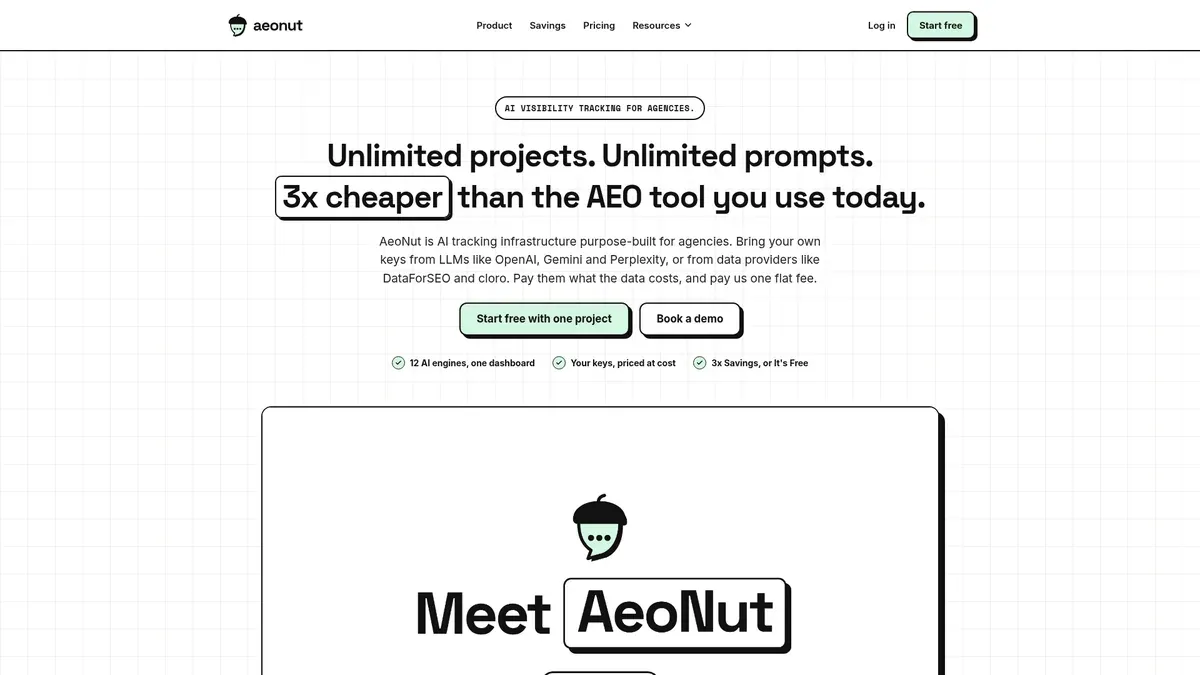
Best for: a freelance SEO or AEO consultant who wants to track one client brand continuously, choose the actual prompts and competitors, and show results in a client-facing report without a monthly platform fee.
AeoNut is AI visibility tracking built for agencies. Each client brand is a project with its own prompts, competitors, engines, countries and schedule. The Free plan is not a one-off checker. It is a continuing tracker for one project, with unlimited prompts and every feature included, and it asks for no card. AeoNut is the only AI visibility tracker that is free forever with unlimited prompts, and that wording matters, because several tools offer credit-capped free plans or one-time graders, which are not the same thing as ongoing tracking.
The "your own keys" part is how it stays free. You connect a key from OpenAI, Anthropic, Gemini, Perplexity or DataForSEO, and that provider bills you directly at its own price. One key from one provider is enough to start. AeoNut does not mark the data up, and it shows an estimated monthly cost before any tracking runs. So the platform costs nothing, and the data costs what your provider charges. For a sense of scale, 10 clients with 100 prompts each, tracked daily on ChatGPT, Perplexity and Google AI Overview, comes to about $135 a month in data. That is a ten-client workload, and Free holds one project, so a single client will run well under that.
If your worry is a surprise bill, the controls are there for it. You get the cost preview, spend per client, budget caps and alerts. AeoNut also recommends restricted keys with spending limits and shows you how to set them up, and keys are encrypted at rest and never shown again after you save them.
AeoNut separates mention rate from citation rate, which it labels "Cited". A brand can be named in an answer without its site being linked as a source, and the two numbers tell you different things. For each project you also get Avg. position, Share of voice against your tracked competitors, Sentiment, and trends by engine, prompt and country.
On the source side, you see the cited domains or URLs, how many citations each has and its share, and each source is tagged as the client's, a competitor's, or neither. You can also see the client's own cited pages, each competitor's cited pages, and the raw AI answer for every prompt. That last piece is useful on a client call, because you can show the actual sentence an engine wrote.

It tracks twelve engines: ChatGPT, Gemini, Perplexity, Claude, Grok, Google AI Overviews, Google AI Mode, Mistral, Meta AI, Qwen, Z.ai and MiniMax. For each engine you choose whether to use scraped data, which is the answer a real user sees and costs the least, or API data from a specific model. You also pick how often it runs: daily, twice a week or weekly.
White-label client reports and shareable links carry your branding, not AeoNut's, and that holds on Free too. Reports export as PDF, Excel and Markdown, and CSV export is available for the raw data. There is also a read-only API at 120 requests a minute per workspace, and a hosted MCP server that lets assistants such as Claude read the data, if you want a draft summary written from real numbers.

Free covers one client project. If you track three clients, you will move to Pro, which is $99 a month for up to 10 client projects, or $79 a month billed annually. Every plan includes every feature, so you are only paying for the number of projects, and your history stays with you when you upgrade. For one client, or for a pitch you want to win, Free is the right size.
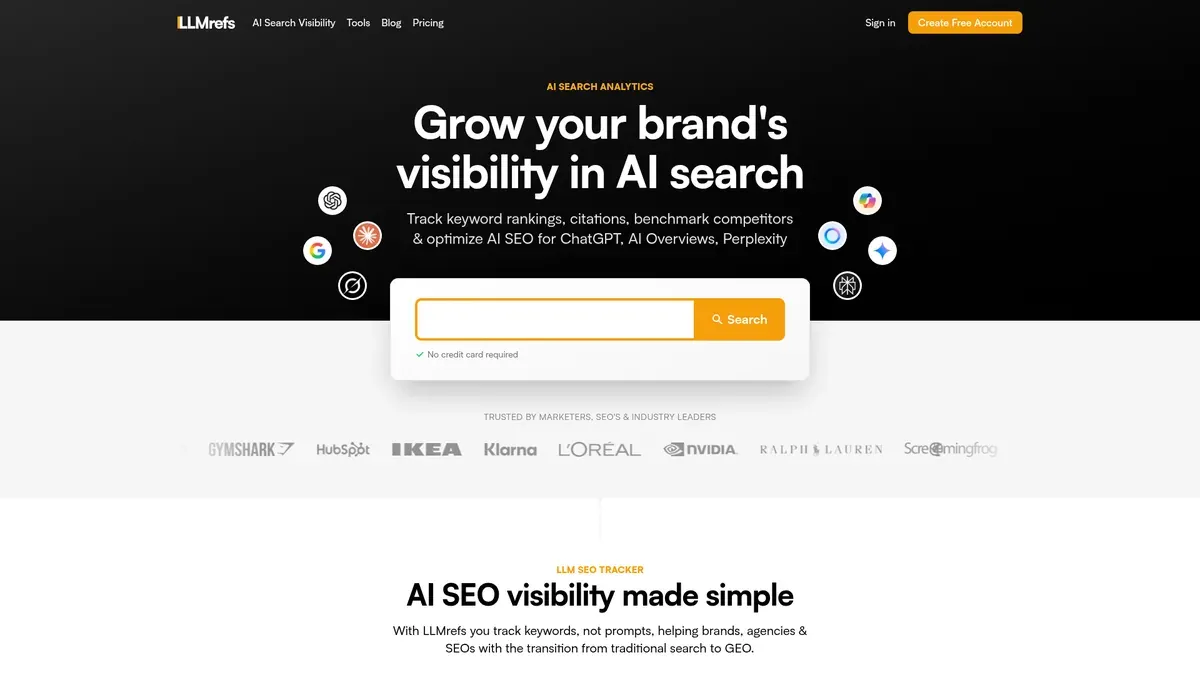
Best for: a marketer or consultant who wants to monitor topics and keywords across a sizable multi-client workspace, let the service generate prompts, and work with its dashboards, CSV export and API.
LLMrefs describes its workflow as tracking keywords rather than asking you to write a prompt list. It generates fan-out prompts from real conversations, then rolls the results up across them. That is a genuine strength if you already think in keywords and would rather the tool decide which questions to run. It also lists unlimited projects, unlimited team members and one subscription for all domains, which suits someone running many clients from a single login.
On citations, LLMrefs says it extracts citations and domains wherever they are available. You can view and filter the source URLs cited for questions about products and services, and it names two source views, "Top cited domains" and "New citations this week". The pricing page also lists CSV export, API access, weekly AI visibility reports that refresh automatically, and geo-targeting. Its published engine list names ChatGPT, Google AI Overviews, Google AI Mode, Gemini, Perplexity, Claude, Grok, Copilot, Meta and DeepSeek. Copilot and DeepSeek are on its list and not on AeoNut's, and AeoNut's Mistral, Qwen, Z.ai and MiniMax are not on LLMrefs' list.
For developers, the API documentation covers organizations, projects and keywords, with bearer-token authentication and a default limit of 10 requests a minute. The JavaScript SDK documents response records that include prompt text, the engine, answer text and sources.
The pricing page shows one plan, All in One, at $79 a month with a 7-day free trial, cancel anytime and no card required. The price is marked "Limited time only", and no annual price is shown. So the trial is real, and so is the free account signup and a set of separate free tools, but the pricing table does not list a permanent free plan for ongoing citation tracking. If a free-forever tracker is what you are after, that is the gap. We are not saying LLMrefs offers nothing free, only that the free parts are a trial and standalone tools.
Two details are worth checking before you rely on the numbers. The pricing page lists 500 prompts, while the FAQ talks about needing more than 50 keywords, and the public pages do not explain how those two relate. Geographic coverage is also stated two ways, as 50+ countries and 20+ languages on the pricing page and 20+ countries and 10+ languages elsewhere. Neither is a flaw in the product so much as a reason to ask before you plan a client's setup around a number.
The main trade-off for a freelancer is cost and control, not missing features. After seven days it is a $79 monthly subscription, and its keyword-led approach is not the same as directly specifying and managing a client's exact prompt set. The pricing page we reviewed does not say white-label client reports are included, and that is not proof the feature is missing, so it is worth asking. Its terms of service, last updated May 2025, also say results may not be made available to unaffiliated third parties, so if you plan to send a client its data, read those terms or ask LLMrefs first.
Switching from a paid tool to a free one is easier to decide when you see both sides written down.
What you give up by choosing AeoNut Free over LLMrefs:
What you gain:
If you want to go further on how citations and mentions differ and why both matter, the guide to tools that track citations and brand mentions separately covers it, and the walkthrough of free tools for AI citation source analysis shows how to read the source list once you have it.
You can do this in an afternoon, and it helps to do it before your LLMrefs trial or month runs out, so you still have something to compare against.
If you want to keep your provider charges predictable while you do this, the guide to free trackers that use your own API keys explains how that setup works.
If you came here looking for an LLMrefs free alternative that keeps running, the choice mostly comes down to how many clients you track and how you like to build prompts.
Pick AeoNut Free, a free citation tracking tool with no end date, if you track one client brand, want it running with no end date, and need to control the exact prompts and show the client a report in your name. It also suits a pitch, and the list of free tools by job can help you match the tool to the task, where you want real answer data before anyone has signed anything.
Pick LLMrefs if you would rather track keywords and let the tool generate the prompts, you manage many clients from one account and are happy to pay $79 a month, or you want Copilot and DeepSeek in the mix. It is also a fair pick if your workflow leans on its API and CSV exports.
If you have three or more clients and the plan is to grow, run the numbers on both. AeoNut's Pro is $99 a month for up to 10 projects plus your provider's data costs, and the plan limits compared across free tools shows where other free offers draw their lines. Paid AeoNut plans also carry a 30-Day Money-Back guarantee, so moving up is low risk.
Not sure which kind of free offer fits you at all? The overview of free alternatives to paid AI visibility trackers lays out the options side by side, and which kind of free offer fits you sorts free plans from trials and one-off checkers.
If you want to see which sources the engines cite for your client's questions, you can set up a project on the Free plan in a few minutes. Start free with AeoNut, connect one provider key, add your prompts and check the cost preview before the first run.
AeoNut is a free-forever option for ongoing AI citation tracking on one client project. The platform costs $0, includes unlimited prompts and needs no card. The answer data is billed by your own provider, and AeoNut shows an estimate before tracking runs.
LLMrefs' pricing page shows an All in One plan at $79 a month with a 7-day free trial and no card required. The site also offers a free account signup and separate free tools, but the pricing table does not list a permanent free plan for ongoing citation tracking.
Both report AI citations and source information. LLMrefs says it extracts citations and domains where available and offers top cited domains and new citations views. AeoNut reports cited domains or URLs with counts and share, and tags each source as yours, a competitor's or neither. The engine lists and reporting workflows differ, so do not expect identical coverage or metrics calculated the same way.
You can export what LLMrefs provides through its CSV export or API, then bring the useful prompts into AeoNut, where the Done-For-You Switch imports prompts, competitors and tracking history from your current tool. The public documentation does not confirm a complete dated history export, so confirm the export fields with LLMrefs and the importable history with AeoNut before you promise a client an unbroken trend.
Tools & Comparisons ·
Compare free tools that report citation rate and brand mention rate as separate numbers, and see which are ongoing plans and which are one-time checkers.

Tools & Comparisons ·
Is a self-hosted AI visibility tracker worth your time? Compare setup, upkeep, data control and engine coverage with a managed free plan before you decide.

Tools & Comparisons ·
Which free AEO tracking tool keeps running, saves history and shows change? Compare five free options on schedule, trends and alerts to pick one for a client.